




Summary
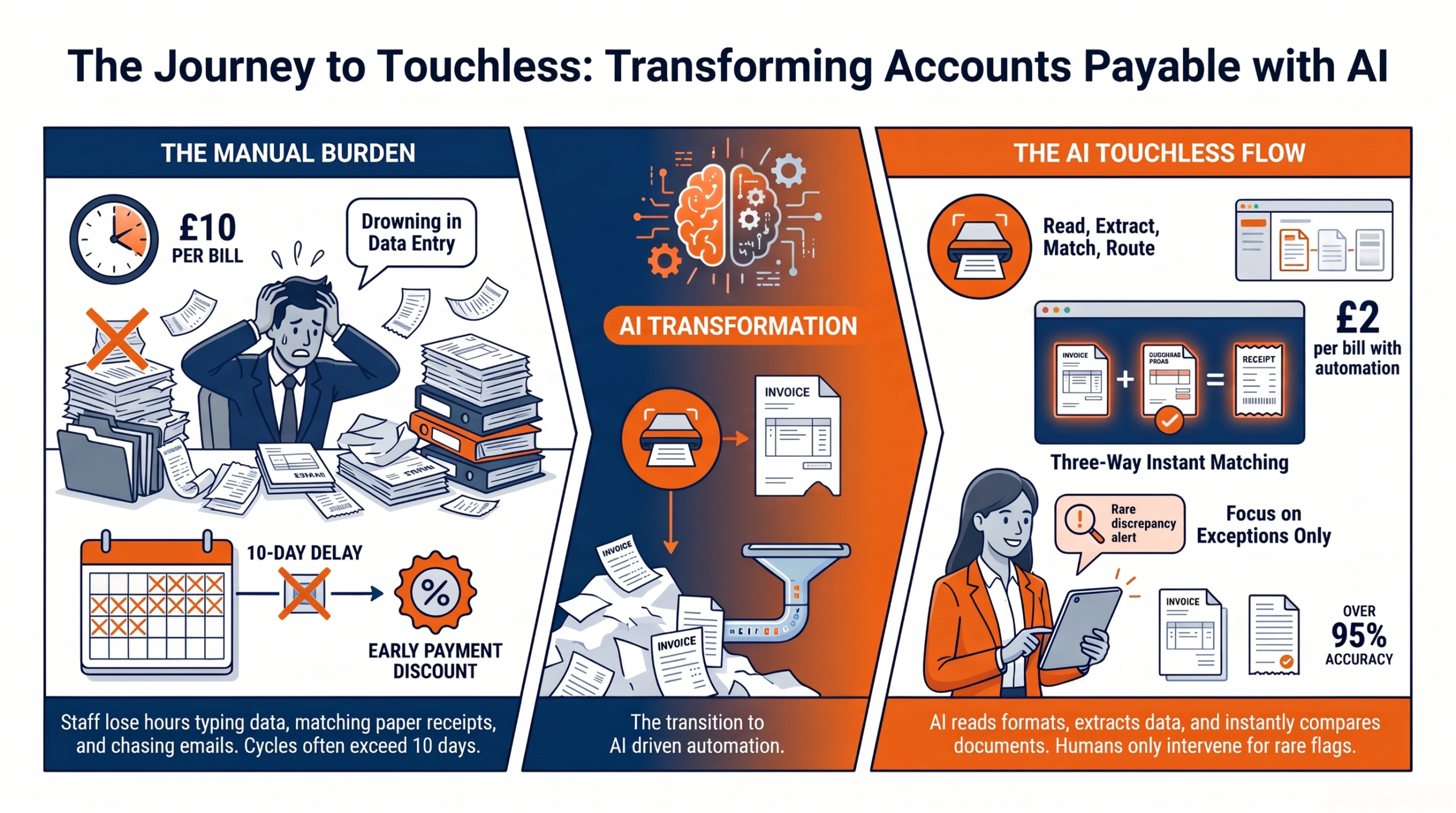
AI-powered accounts payable (AP) automation can replace repetitive invoice entry, matching, and approval tasks with a faster, lower-cost touchless workflow. The process uses AI to extract invoice data, match it against purchase orders and receipts, and route exceptions to the appropriate person.
Key Points
- Manual AP creates high costs through data-entry errors, delayed approvals, duplicate payments, and rework.
- AI automates invoice reading, three-way matching, approval routing, and exception handling while maintaining human oversight.
- Key metrics include cost per invoice, invoice cycle time, exception rate, and early-payment discount capture.
- AP maturity progresses from paper-based processing to scanning, workflow rules, AI matching, and fully touchless processing.
- Organizations can begin by automating one high-volume vendor or invoice flow, measuring results, and scaling gradually.
- Acumatica supports touchless AP by integrating invoices, purchase orders, receipts, approvals, and payments in one finance system.
Introduction
Accounts payable automation is the fastest way to stop your finance team from drowning in invoices. Most teams still key in data by hand, chase approvals over email, and match invoices to orders one line at a time. It is slow, it is costly, and it wears people down.
This post is for finance and operations leaders who want a better way. We will walk through each stage of the AP cycle and show where time and money leak out. Then we will show how AI reads invoices, matches them to orders, and routes only the odd cases to a person.
You will get a readiness checklist, a simple cost per invoice calculator, and a maturity model that maps your path from paper to touchless. We will also face the real fears about control, fraud, and jobs. By the end, you will know how to build a touchless invoice processing workflow that runs with almost no human touch.
The Hidden Cost of a Manual AP Process
Every manual invoice you touch costs more than you think.
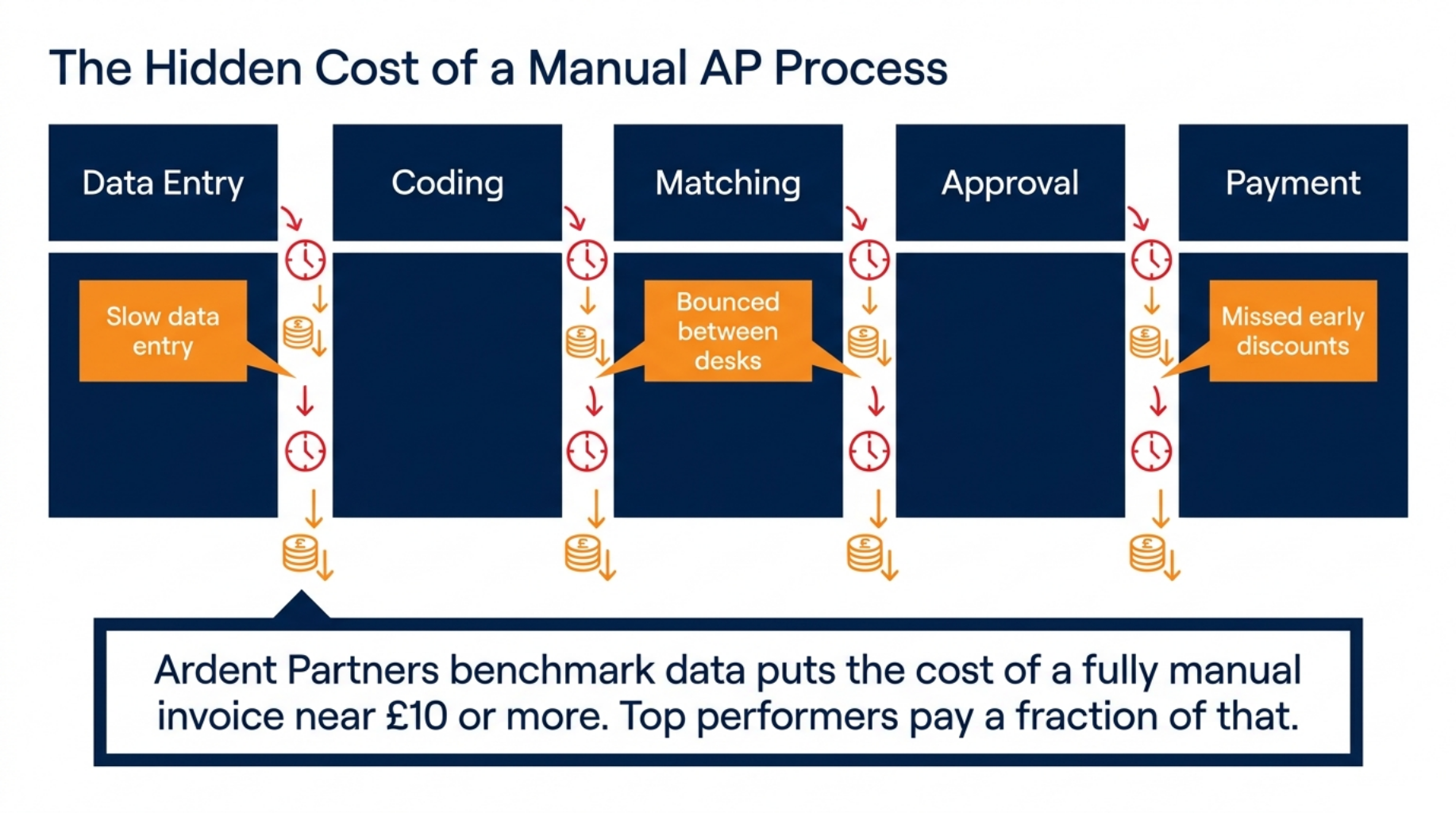
Every invoice moves through five stages: data entry, coding, matching, approval, and payment. At each step, a person picks it up, checks it, and hands it on. That handoff is where delay and cost build up.
- Manual data entry is slow and open to typos.
- Coding and matching bounce between people and desks.
- Late approvals miss early payment discounts.
Ardent Partners benchmark data puts the cost of a fully manual invoice near £10 or more, while top performers pay a fraction of that. The gap is your opportunity.
That cost is only the start. The real pain shows up in two places: where invoices get stuck, and where small errors pile up.
Where Invoices Get Stuck
Invoices stall when the paperwork does not line up. A missing purchase order means matching cannot happen, so the invoice waits. Nobody knows who owns it, and it sits.
Approvals are the next trap. They land in an inbox, get buried, and go quiet for days. One busy manager can hold up dozens of payments without meaning to.
Paper and PDF invoices add more drag. Someone has to open them, read them, and sort them by hand. Picture a clerk with two hundred emails, each one an invoice waiting to be typed. That is a full day gone before a single payment is made.
How Small Errors Add Up
Small mistakes carry a big price. A duplicate payment sends cash out the door twice, and clawing it back takes weeks. One wrong keystroke can turn £1,000 into £10,000.
Wrong coding is quieter but just as harmful. It puts spend in the wrong bucket and breaks your reports. Then finance makes calls on numbers that are not true.
Rework eats the rest. Staff spend hours fixing errors that automation would never make. A team of three can lose a full day each week to clean up alone.
Now that the cost is clear, let us look at how AI removes most of this work.
How AI Powers Accounts Payable Automation
AI reads, matches, and routes invoices so your team does not.
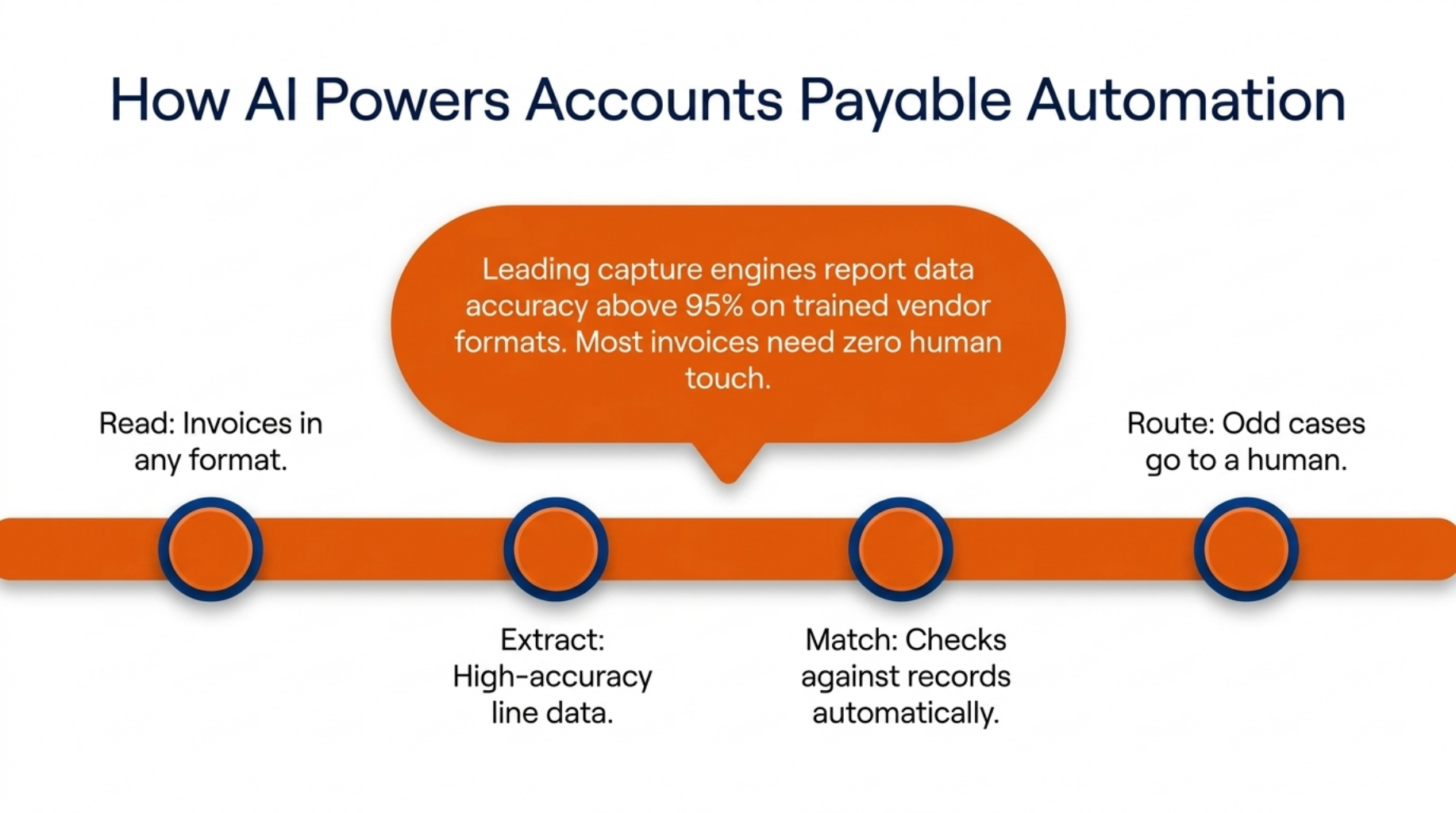
AI follows a simple flow: read, extract, match, route. It reads an invoice in any format, pulls out the data, checks it against your records, and passes it on. A person only steps in when something does not fit.
- AI reads invoices in any format.
- It pulls line data with high accuracy.
- It routes only the odd cases to a human.
Leading capture engines now report data accuracy above 95 percent on trained vendor formats, based on vendor and analyst studies. That means most invoices need no human touch at all.
To see why that works, look at each step in turn.
Reading and Extracting Invoice Data
AI invoice data extraction starts with reading. It captures header detail like the vendor name and total, plus every line item, from scans, PDFs, and emails. It does not care if the invoice is neat or messy.
Better still, it learns. The more invoices it sees from a vendor, the sharper it gets at reading their format. A supplier who always buries the total in an odd spot becomes easy to read after a few passes.
Three Way Matching Without the Manual Work
Three-way matching is the core check in accounts payable. AI compares the invoice against the purchase order and the goods receipt. If all three agree on price and quantity, the invoice is clean.
Clean matches pass straight through with no human step. So the invoice that used to take a clerk ten minutes now clears in seconds. Your team never sees it.
Routing Exceptions for Review
Not every invoice is clean, and that is fine. When the numbers do not match or data is missing, AI flags it for a person. Nothing risky slips through.
Approval rules then send each case to the right owner. A £500 invoice goes to a team lead, while a £50,000 one goes higher. The rules you set decide the path.
With the flow in place, the next question is how you measure success.
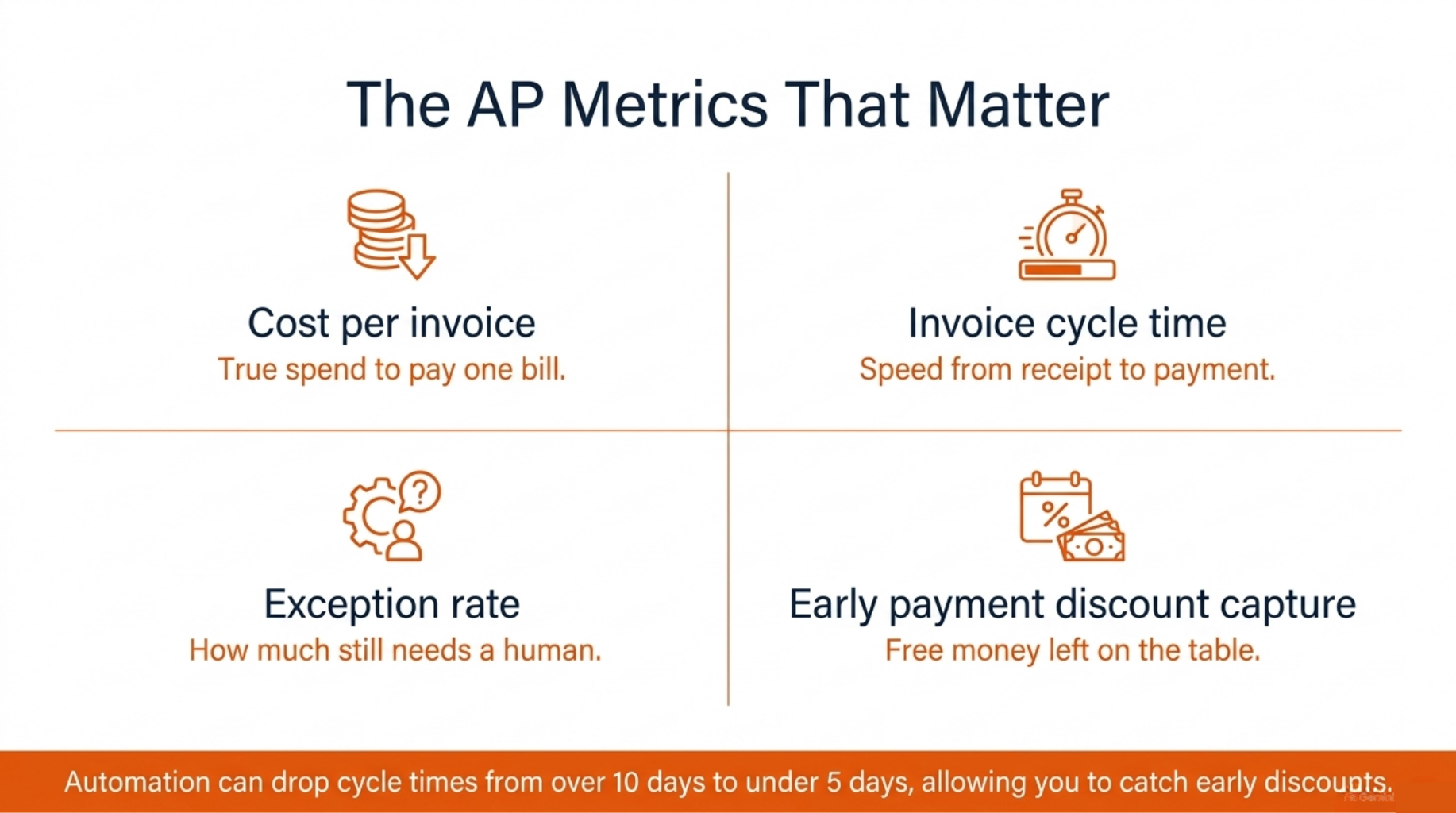
The AP Metrics That Matter
You cannot improve what you refuse to measure.
Four metrics tell you if your AP process is healthy. Track these, and you will know where you stand and what to fix.
- Cost per invoice shows the true spend to pay one bill.
- Invoice cycle time shows the speed from receipt to payment.
- Exception rate shows how much still needs a human.
The fourth is early payment discount capture, which shows how much free money you are leaving on the table. Ardent Partners AP Metrics reports show cycle times can fall from over ten days to under five after automation. That speed is what lets you catch those discounts.
Cost per invoice is the metric most leaders start with, so let us make it easy to work out.
Your Cost Per Invoice Calculator
You can find your cost per invoice with one simple sum. Add up three things over a month:
- Staff time spent on AP, in wages.
- Software and system costs.
- The cost of errors and rework.
Add those together, then divide by the number of invoices you processed. That figure is your cost per invoice. If you process 1,000 invoices and spend £8,000, your cost is £8 each. Compare that manual number to an automated target of £2 or less, and the case for change makes itself.
Numbers like these tell you where you stand, but you also need to know if you are ready to change.
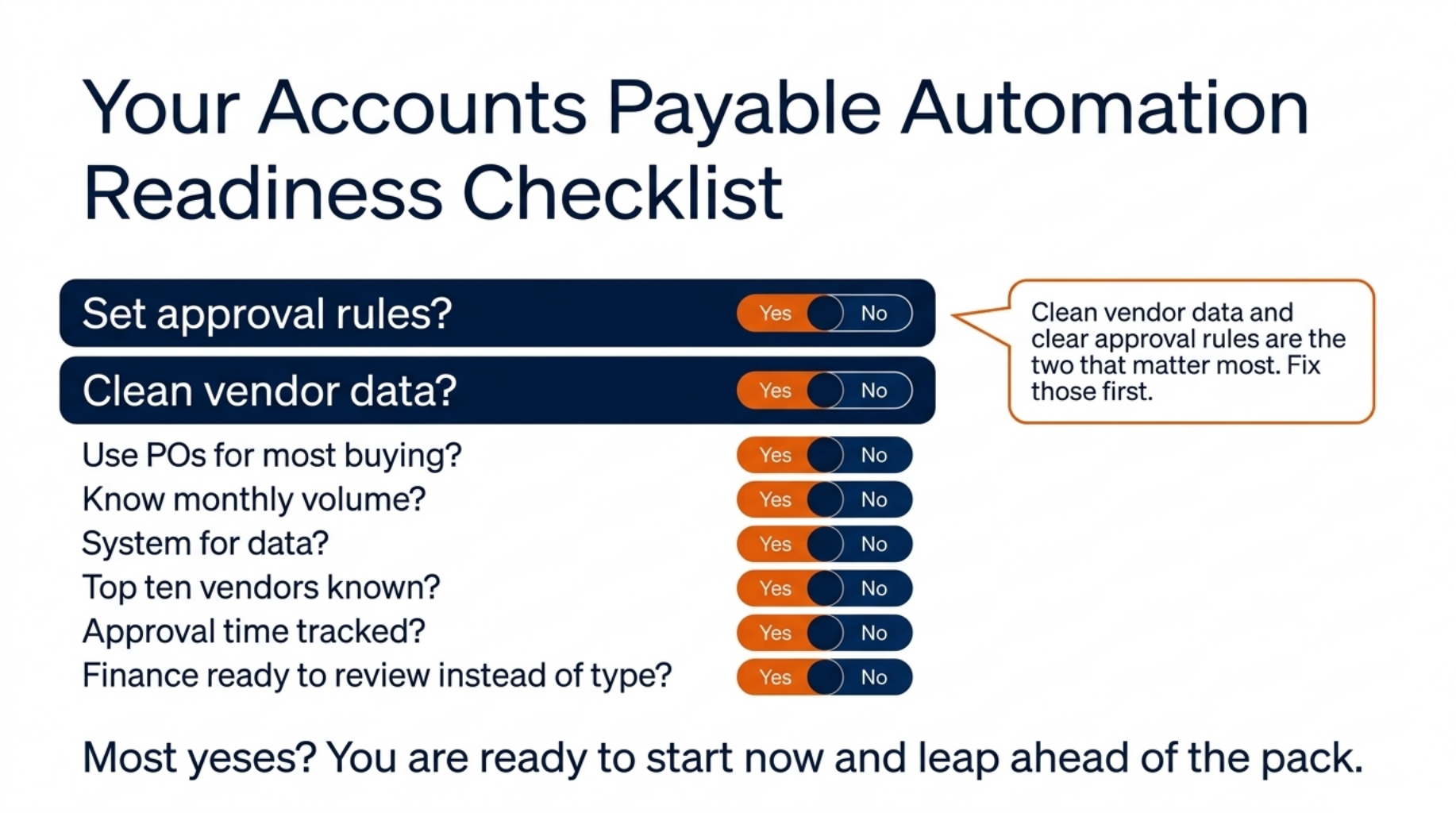
Your Accounts Payable Automation Readiness Checklist
Readiness is not luck. It is a checklist you can run.
Readiness is not a guess. It is a short set of questions you can answer in minutes. Score each item as a yes or a no, then count your yeses.
Run through this list:
- Do you have set approval rules for spend levels?
- Do you use purchase orders for most buying?
- Is your vendor data clean and up to date?
- Do you know your current invoice volume per month?
- Do you have a system that can hold invoice data?
- Can you name your top ten vendors by volume?
- Do you track how long approvals take today?
- Is finance ready to move from typing to reviewing?
Most yeses mean you are ready to start now. A few noes just show you where to tidy up first. Clean vendor data and clear approval rules are the two that matter most, so fix those before anything else.
Industry surveys still find that many finance teams process most invoices by hand, so being ready puts you ahead of the pack. The next step is knowing how far the journey goes.
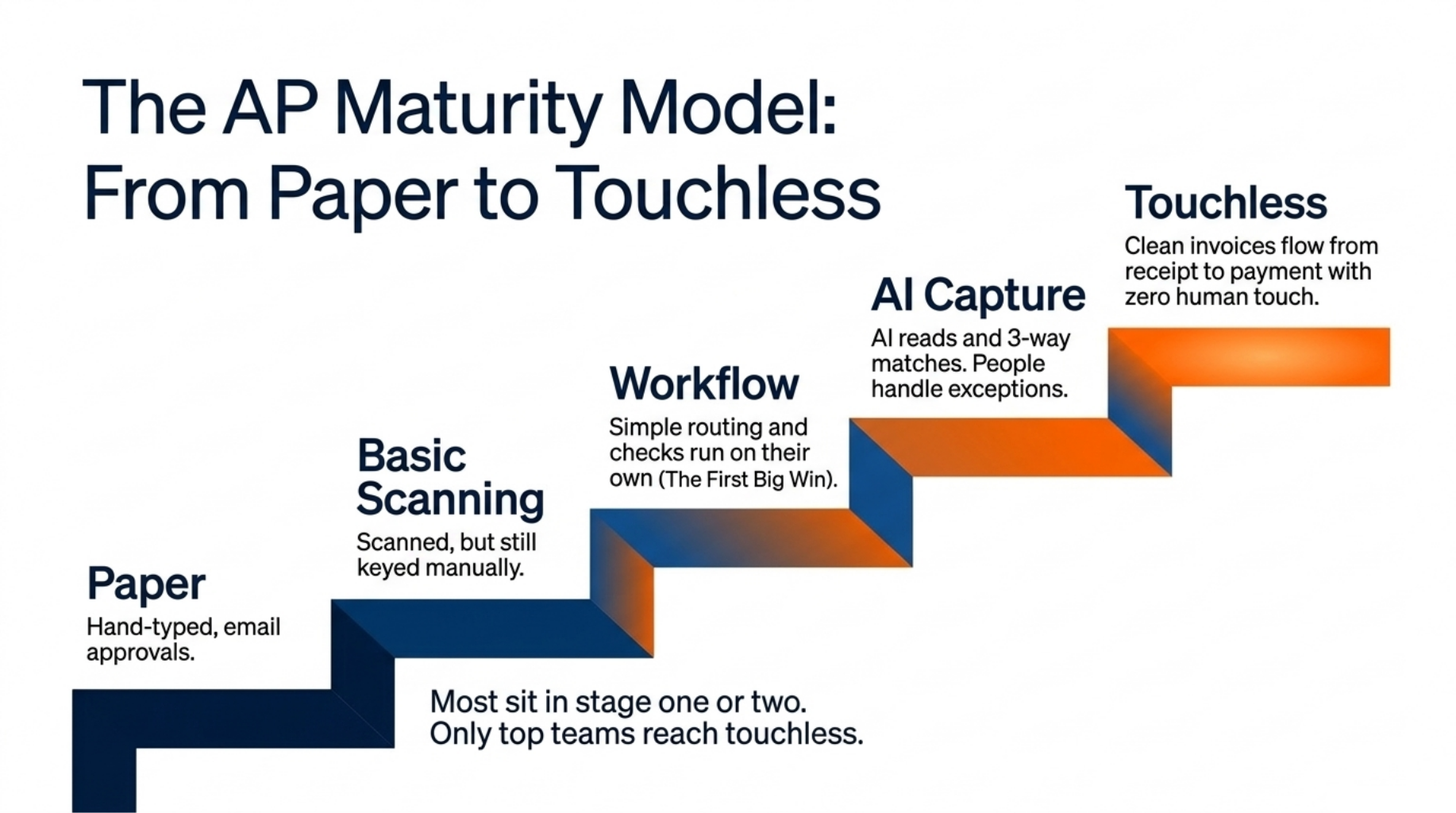
The AP Maturity Model: From Paper to Touchless
The path from paper to touchless has five clear stages.
The path from paper to touchless runs through five stages. Find your stage, then take the next step. You do not need to leap to the end at once.
- Paper and manual entry. Every invoice is typed by hand. Approvals happen over email or on paper.
- Basic scanning. Invoices are scanned and stored, but people still key the data.
- Rules and workflow. Approval routing is set, and simple checks run on their own.
- AI capture and matching. AI reads invoices and runs three-way matching. People handle exceptions.
- Touchless. Clean invoices flow from receipt to payment with no human touch.
Most teams sit in stage one or two, and the jump to stage three brings the first big win. Ardent Partners data shows only a small share of top AP teams reach true touchless processing. That means the top stage is still a real edge.
Wherever you sit, the next stage is close. Pick one step and take it.
Even with a clear path, many leaders hold back over three worries. Let us meet them.
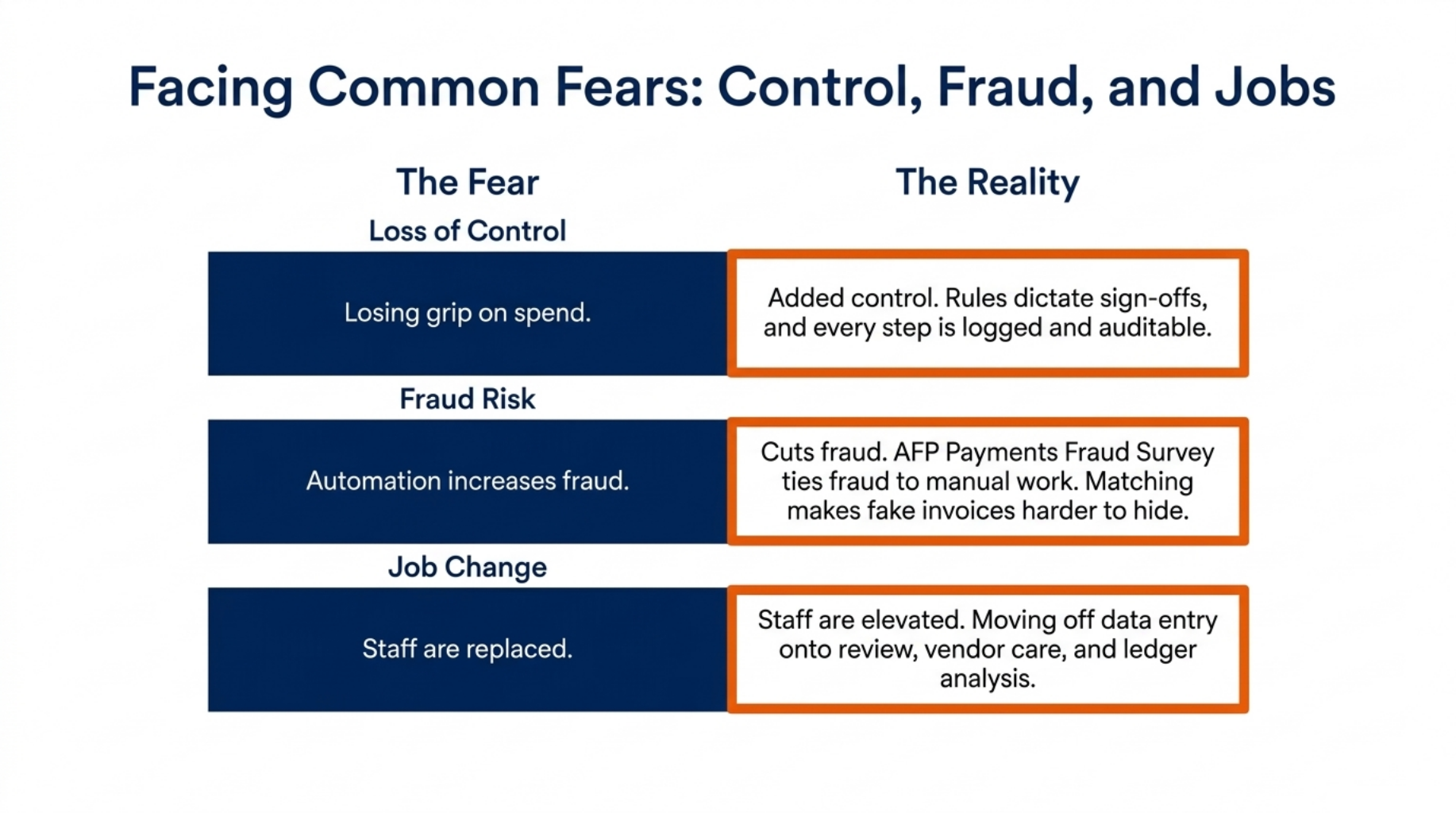
Facing Common Fears: Control, Fraud, and Jobs
Automation adds control. It does not take it away.
Three fears stop most AP projects: loss of control, more fraud, and lost jobs. Each one is fair. Each one has a clear answer.
Loss of control. Automation does not remove your grip on spend. It follows the approval rules you set, so a person still signs off on what matters. You gain control because every step is now logged and clear.
Fraud risk. This is the fear that surprises people because automation cuts fraud. The AFP Payments Fraud Survey ties much fraud to manual, paper-based work. Audit trails, approval rules, and three-way matching make fake or double invoices far harder to hide.
Job change. No one wants to tell staff they are not needed. But automation moves people off data entry, not out the door. They shift to review, vendor care, and analysis, which is better work. One clerk who once typed invoices all day can become the person who spots savings across the whole ledger.
Once these fears are settled, the question becomes which system to trust. That is where Acumatica comes in.
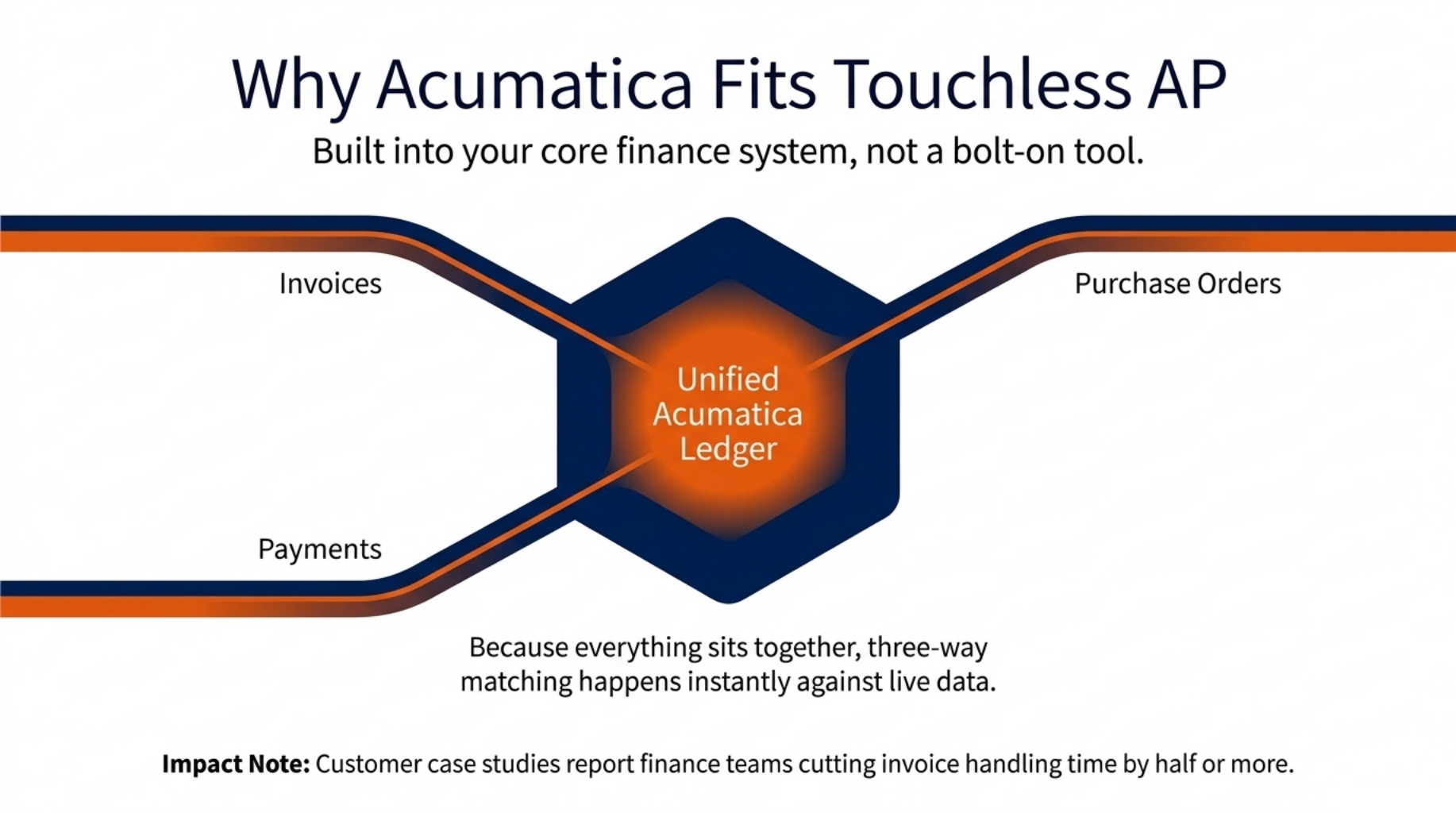
Why Acumatica Fits Touchless AP
Acumatica builds touchless AP into your core finance system.
Acumatica builds AP automation into your core finance system, not into a bolt on tool. That matters because your invoices, orders, and payments all live in one place. There is no gap for data to fall through.
- One system holds invoices, orders, and payments.
- AI capture and matching run inside the finance ledger.
- Approval routing follows your own rules.
Because everything sits together, three-way matching happens against live data. The invoice, the purchase order, and the receipt are all in the same system, so the check is instant. Acumatica customer case studies report finance teams cutting invoice handling time by half or more after moving AP into the platform.
That link back to your metrics is the point. Lower cost per invoice, faster cycle time, and a smaller exception rate all flow from one joined up system. The next step is to start small.
Getting Started With AP Automation in Acumatica
Start small. Automate one invoice flow. Then scale.
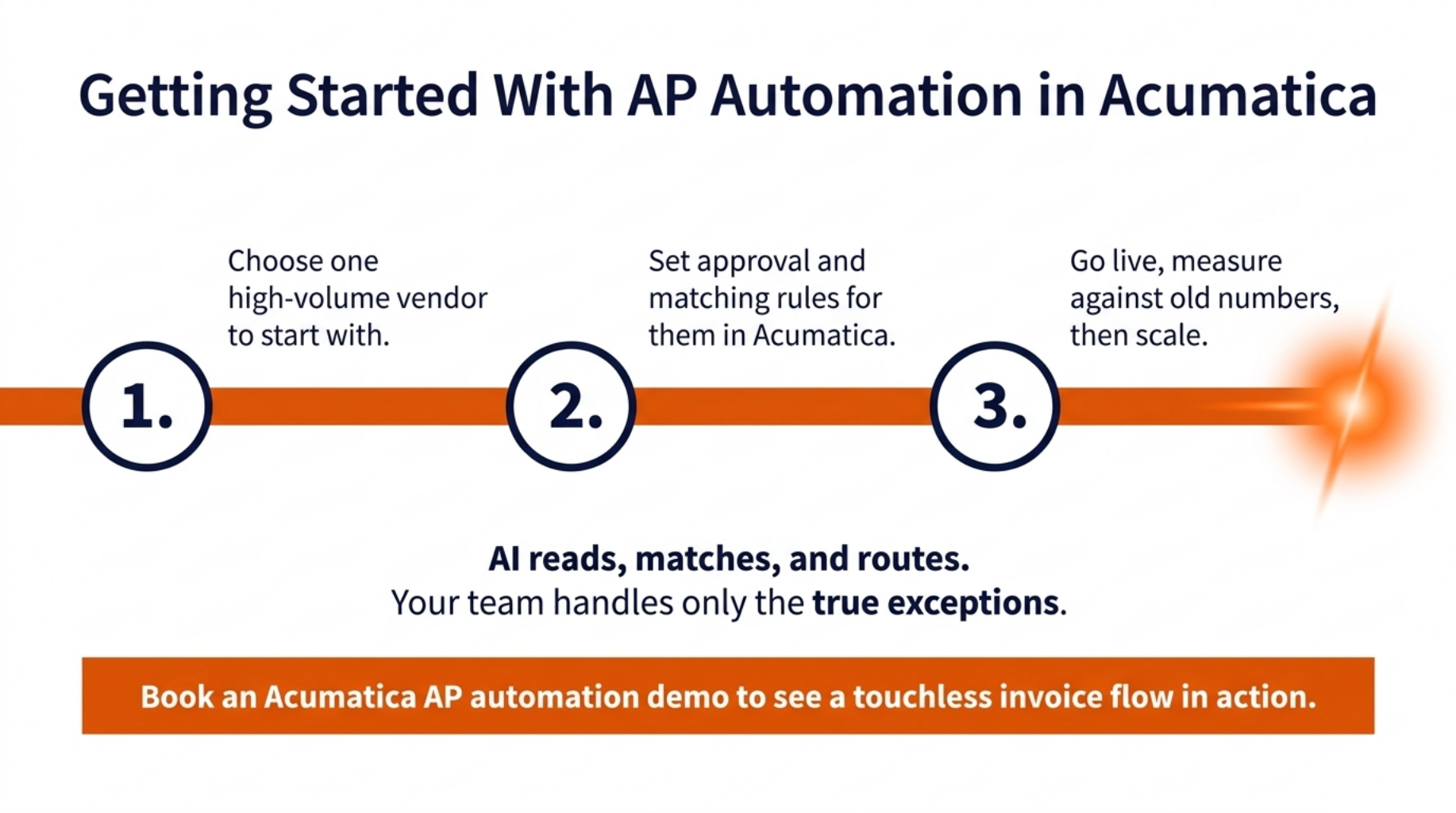
You do not need to automate everything at once. Start with one flow, prove it works, then grow. This keeps risk low and builds trust fast.
Here is a simple first path:
- Choose one high-volume vendor to start with.
- Set approval and matching rules for that vendor in Acumatica.
- Go live, then measure the results against your old numbers.
Once that flow runs clean, add the next vendor, and the next. Each one is easier than the last. One Acumatica customer noted their team went from days to hours on invoice handling after their first flow went live.
The best time to start is now. Pick your top vendor and map their flow this week.
Wrapping Up
Accounts payable automation cuts cost, speeds approvals, and lowers errors across your whole AP cycle. AI reads, matches, and routes invoices, so your team handles only the exceptions that truly need a human. And with Acumatica, touchless AP lives inside the one finance system you already run.
You have the checklist, the calculator, and the maturity model to start today. The first step is small: pick one vendor and prove the flow.
Book an Acumatica AP automation demo to see a touchless invoice flow in action.
Frequently Asked Questions
What is accounts payable automation? It is the use of software and AI to capture, match, approve, and pay invoices with little or no manual work.
How does AI automate accounts payable? AI reads each invoice, pulls the line data, matches it to purchase orders and receipts, and sends only the exceptions to a person.
What is touchless invoice processing? It is an AP flow where an invoice moves from receipt to payment with no human touch unless there is an exception.
How much does it cost to process one invoice? Manual work often costs several pounds per invoice, while automation can cut that cost by more than half.
Does AP automation reduce fraud? Yes, it adds audit trails, approval rules, and matching checks that make fraud harder to hide.