



Summary
AI cash flow forecasting replaces slow, error-prone spreadsheet models with live, predictive forecasts based on payment, invoice, and business history. By using clean data, measuring forecast accuracy, and maintaining human oversight, finance teams can improve cash visibility and make more confident spending decisions.
Key points
- Spreadsheets often produce stale forecasts, manual errors, and slow updates as businesses grow.
- Machine learning analyses payment timing, receivables, payables, seasonality, recurring revenue, and fixed costs to predict future cash flow.
- Useful forecasts can typically begin with 12–24 months of clean transaction data.
- Forecast accuracy should be tracked by comparing predicted and actual cash, with rolling error targets—often around 10% or lower.
- Human governance remains important: assign an owner, review forecasts regularly, document overrides, and start with a small Acumatica account before scaling.
Introduction
AI cash flow forecasting turns cash planning from a slow, backward look into a live, forward view. Most finance leaders still build forecasts by hand in spreadsheets. They pull last month’s numbers, add a few guesses, and hope the picture holds until the next update.
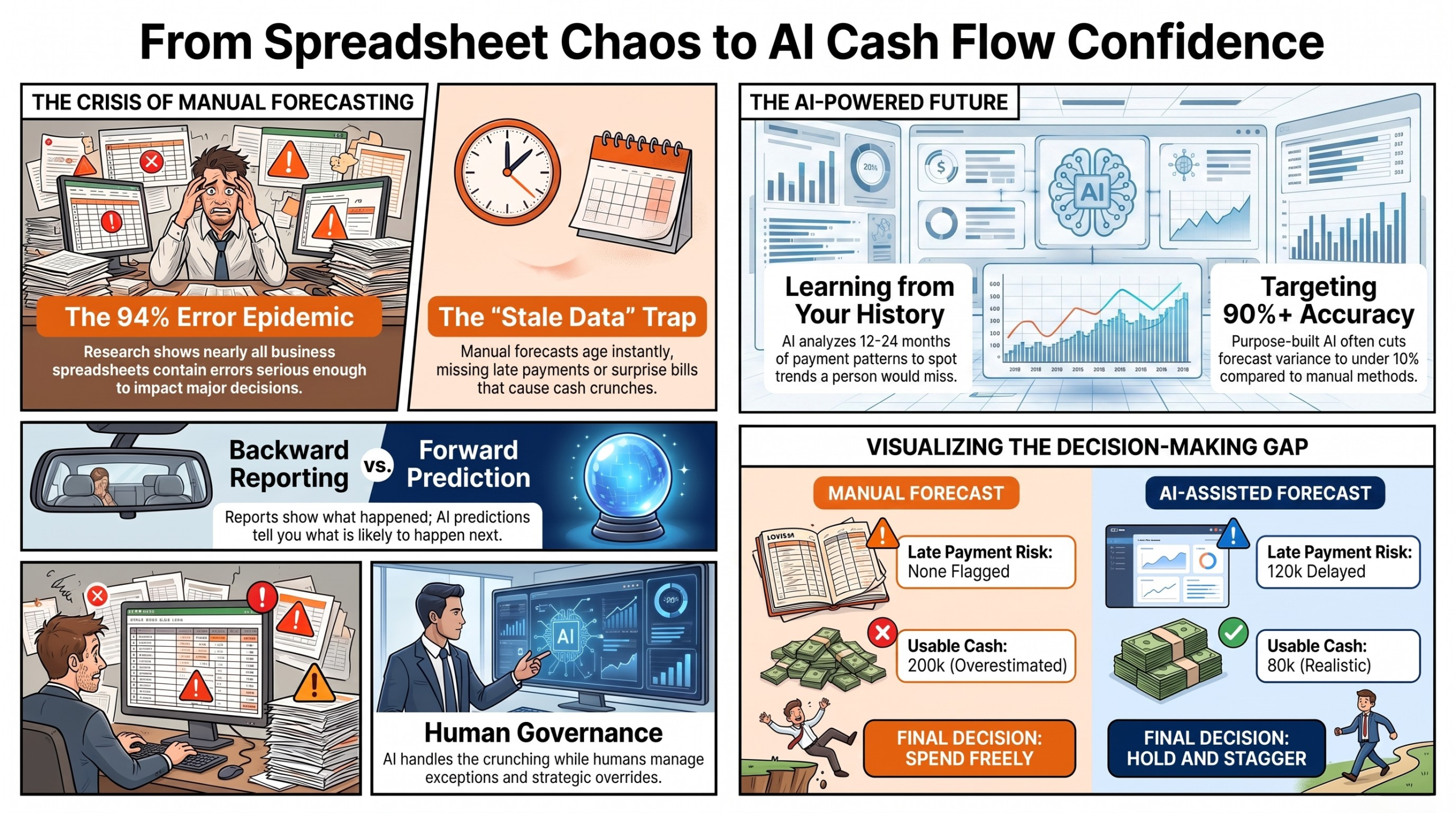
That picture ages fast. By the time you finish the model, the data behind it has already moved. A late payment, a big order, or a surprise bill can throw the whole plan off.
This guide shows you a better way. You will see how machine learning reads your own payment history to predict cash with more accuracy. We will cover how much data you need, how to score the forecast, and when to trust or override the model. By the end, you will know how to move from static sheets to real-time cash visibility.
Let us start with why the old way keeps failing.
The Hidden Cost of Spreadsheet Forecasting
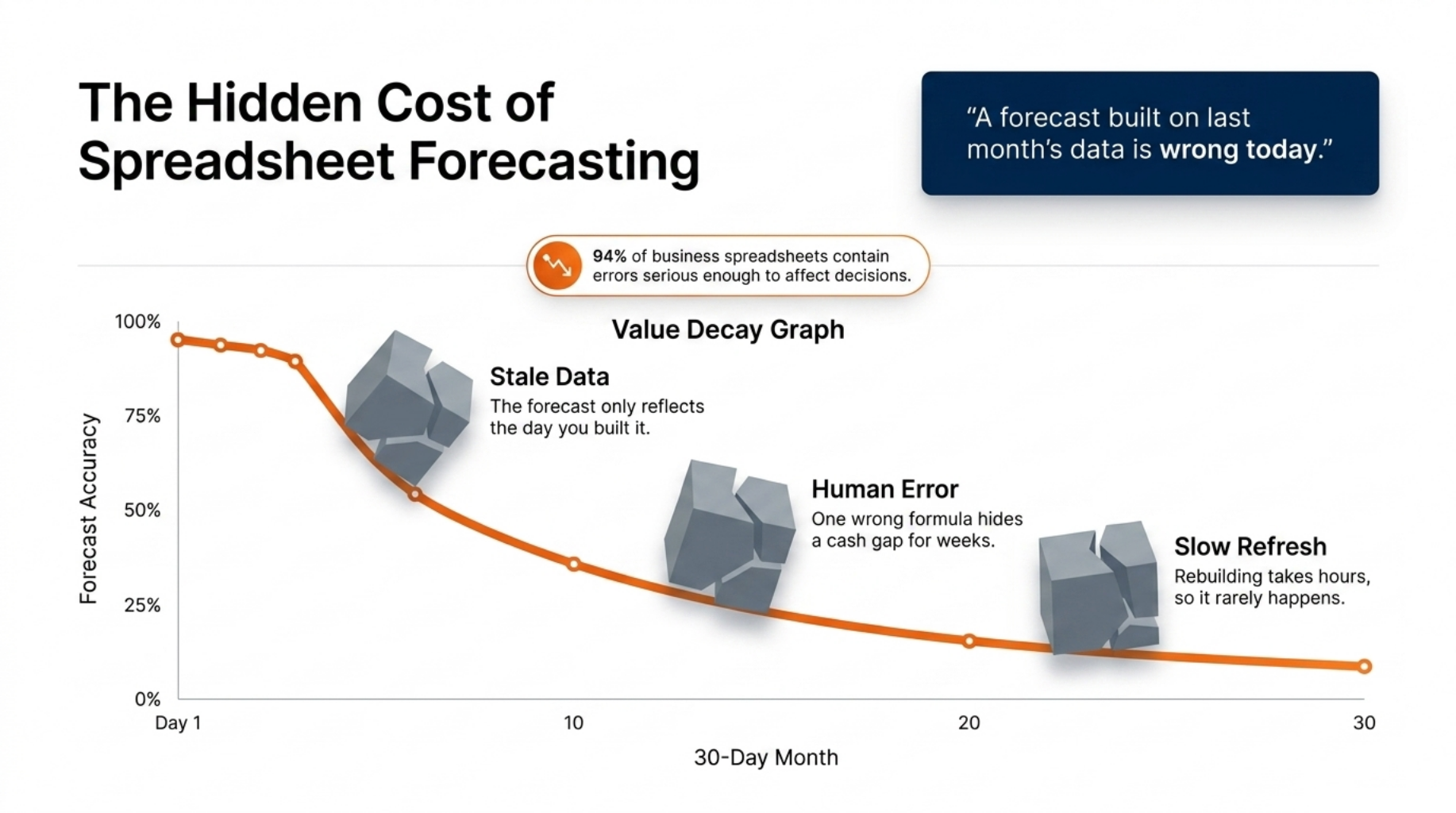
“A forecast built on last month’s data is wrong today.”
Alt tag: Quote graphic on stale data in manual cash flow forecasting
Spreadsheets are the default tool for cash planning. They are cheap, familiar, and flexible. But they break down as your business grows, and the numbers pile up.
The problem is not your finance team. It is the tool. A spreadsheet asks a person to enter, copy, and link data by hand, and people make mistakes.
The scale of this is stark. A widely cited review of business spreadsheets found that 94% contained errors serious enough to affect decisions. One wrong formula or a dragged cell can hide a real cash gap for weeks.
Three flaws show up again and again:
- Stale data. The forecast only reflects the day you built it, not today.
- Human error. Every manual update adds a fresh chance to slip.
- Slow refresh. Rebuilding the model by hand takes hours, so it rarely happens often enough.
Picture a firm that forecasts once a month. A key client pays two weeks late, but the sheet still shows the old due date. The team spends money it does not yet have, then scrambles to cover the gap.
There is a smarter way to handle this, and it starts with your own history.
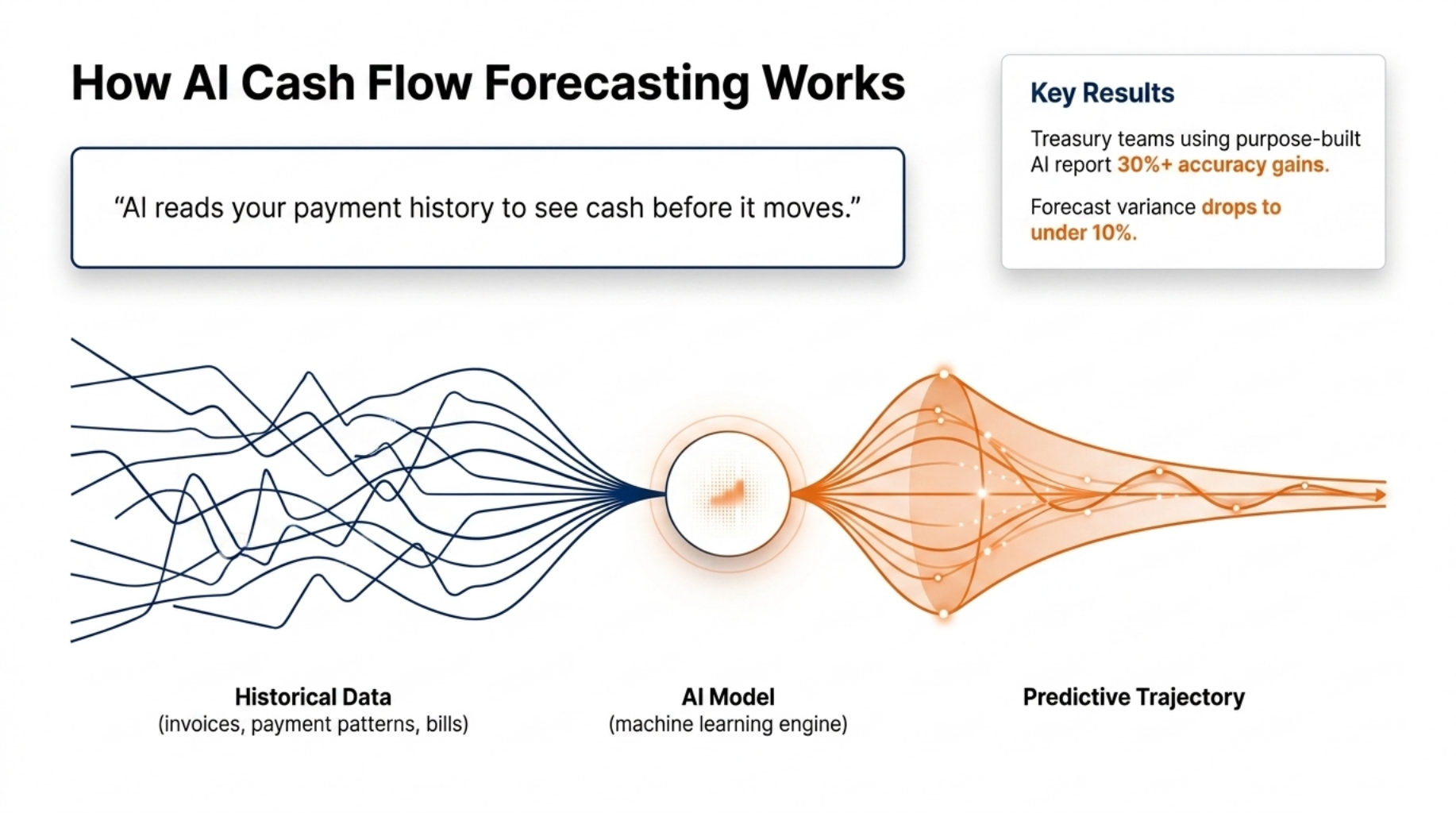
How AI Cash Flow Forecasting Works
“AI reads your payment history to see cash before it moves.”
Alt tag: Quote graphic explaining how ai cash flow forecasting uses payment data
So how does the machine do better? It learns from your past instead of leaning on a fixed formula.
A machine learning model studies your history of payments, invoices, and bills. It spots patterns a person would miss, like which clients always pay late and which months run tight. Then it uses those patterns to project your future cash position.
This is prediction, not reporting. A report tells you what already happened. A cash flow prediction tells you what is likely to happen next, and it updates itself as new data lands.
Seasonality shapes the curve too. If sales dip every winter, the model builds that dip in without being told. Your open receivables and payables set the starting base, and the model adjusts as invoices go out and get paid.
The gains are real. Treasury teams using purpose-built AI report accuracy gains of 30% or more over manual methods. In one case shared by NeuGroup, a large firm’s treasury team cut its forecast variance to under 10% after moving to machine learning forecasting.
To get results like that, you need to feed the model the right inputs.
Cash Flow Drivers to Model
A good model needs the correct inputs. These are the main drivers that shape your cash position, and each one is worth tracking on its own.
- Accounts receivable and payment timing. When clients actually pay, not when they promise to.
- Accounts payable and vendor terms. When your own bills fall due.
- Payroll, tax, and loan payments. The fixed costs that hit on a set date.
- Seasonal sales swings. The busy and quiet spells that repeat each year.
- Recurring revenue and churn. Steady income, minus the customers who leave.
Feed the model clean versions of these, and your forecast starts to reflect the real rhythm of the business.
Many leaders assume this needs years of records. It does not.
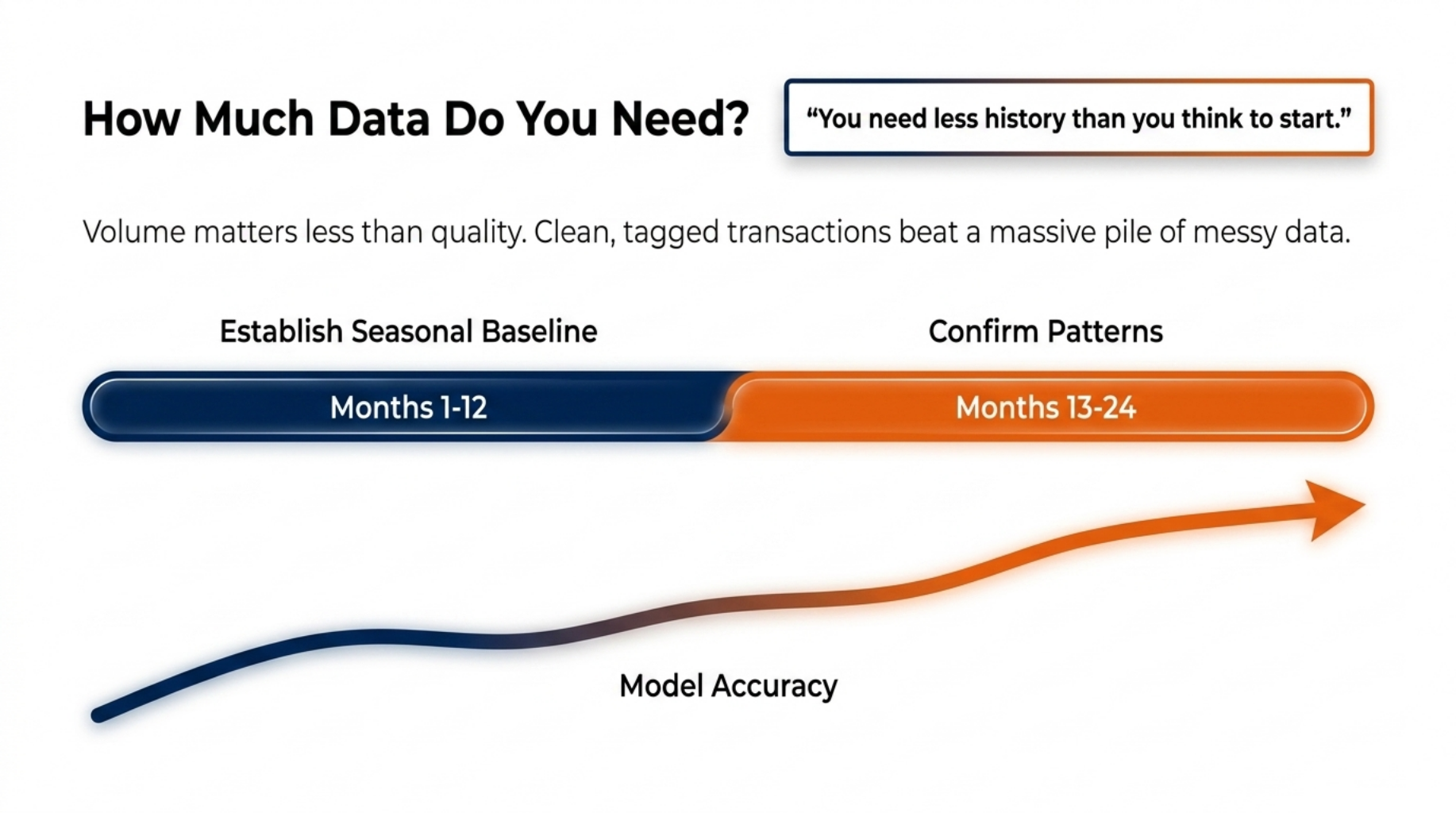
How Much Data Do You Need?
“You need less history than you think to start.”
Alt tag: Quote graphic on data needed for AI forecasting
Many finance leaders worry they lack the data to begin. The good news is you probably need less than you think.
Most models produce useful results with 12 to 24 months of transaction history. That window is enough to capture a full year of seasons plus a repeat to confirm the pattern. You can start narrow and widen as you go.
Volume matters less than quality. Clean, tagged transactions beat a huge pile of messy ones. If your invoices, clients, and cost types are labelled well, even a modest history can drive a solid forecast.
The forecast also sharpens over time. Every new week of real data teaches the model, so accuracy tends to climb the longer it runs. Treat the first forecast as a starting point, not a final answer.
Once the model is running, your next job is to keep it honest.
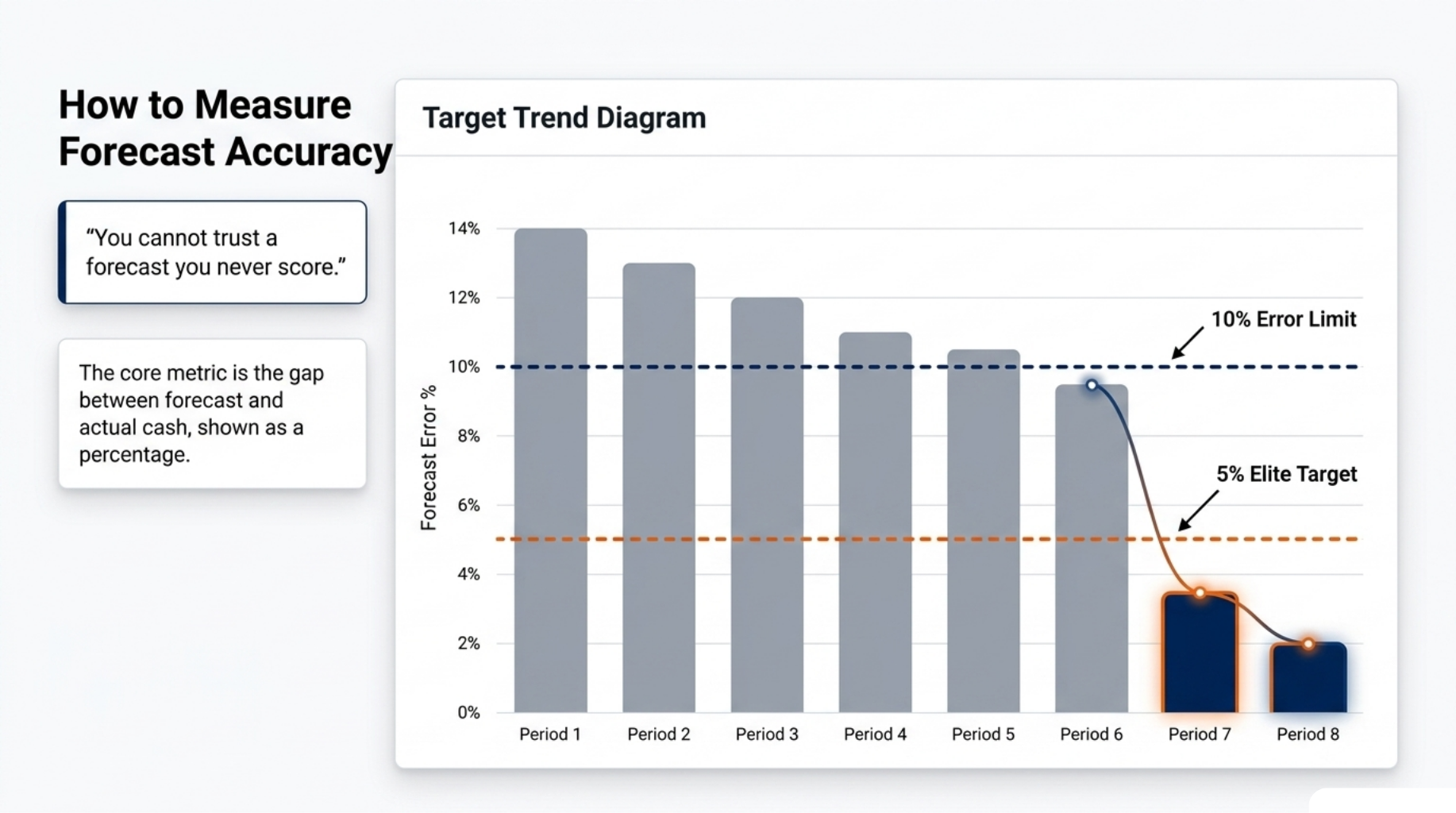
How to Measure Forecast Accuracy
“You cannot trust a forecast you never score.”
Alt tag: Quote graphic on scoring cash flow forecast accuracy
A forecast is only useful if you check it against reality. If you never score it, you can never trust it.
Use one plain metric to start: the gap between forecast and actual cash, shown as a percentage. If you predicted 100,000 and the real figure was 95,000, your error was 5%. Track that error every period.
Watch the trend, not a single bad week. One off month can come from a rare event, like a huge one-time bill. What matters is whether your average error falls over time.
Set a target your team can hit. Many finance teams aim to keep forecast error under 10% for the coming few months. Strong AI-assisted setups, like Sigmoid’s work across dozens of global markets, have pushed error below 5%.
A simple scorecard makes this easy to run.
A Simple Forecast Accuracy Scorecard
A scorecard keeps this honest and easy to read. Build a small table you update each period.
Track four things:
- Forecast value. What the model said cash would be.
- Actual value. What cash really was.
- Error percentage. The gap between the two, as a percent.
- Rolling average error. The mean of your last few periods.
Then add a simple pass or fail against your target. If the rolling error sits under your limit, the forecast passes. If it drifts above, that is your signal to dig in and find out why.
Numbers make the whole idea click, so here is one.
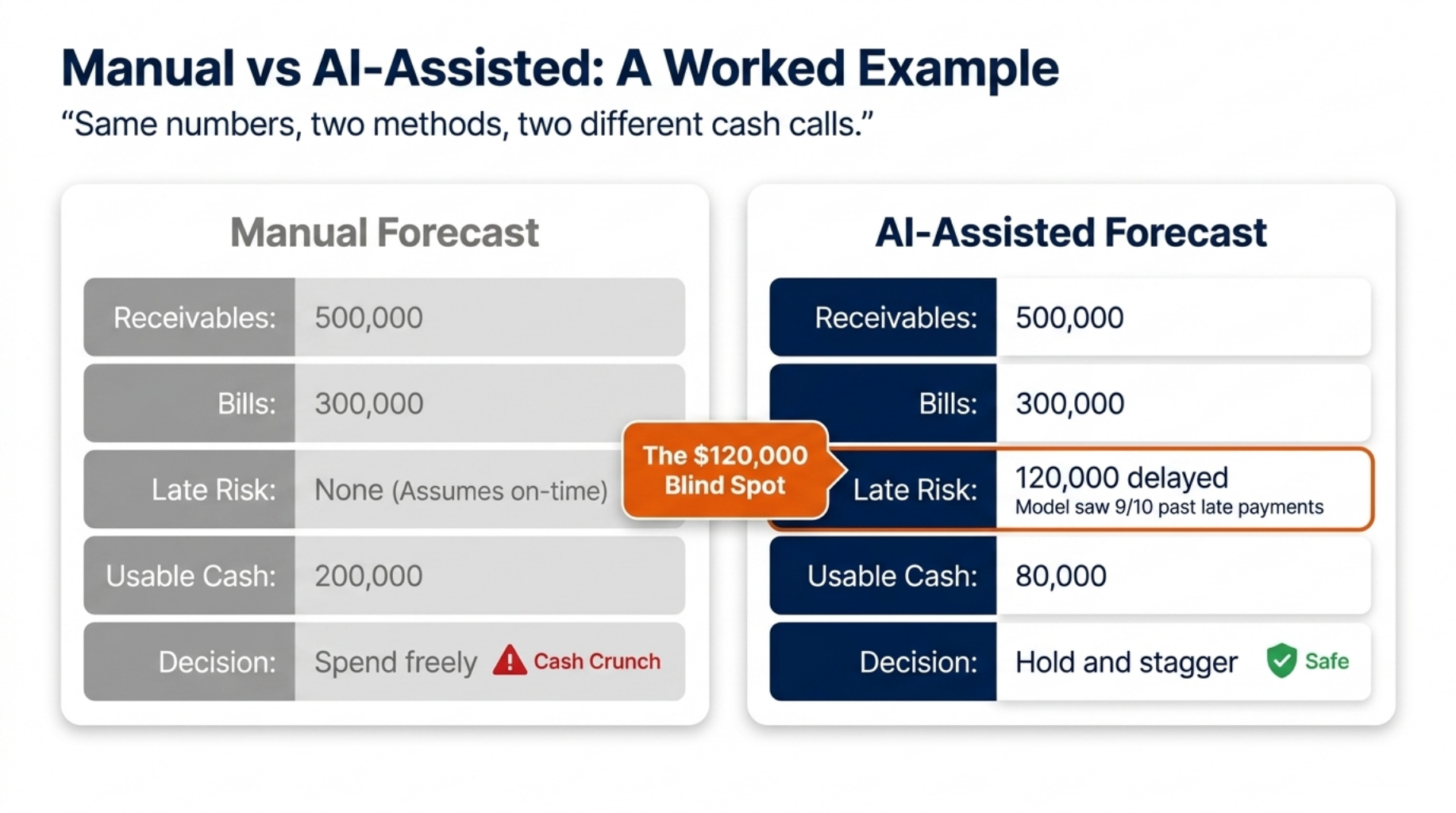
Manual vs AI-Assisted: A Worked Example
“Same numbers, two methods, two different cash calls.”
Alt tag: Quote graphic comparing manual and AI-assisted cash flow forecasts
Picture a growing firm forecasting cash for the coming month with the same starting data. Both methods get the same inputs. They reach very different answers.
The firm expects 500,000 in receivables and 300,000 in bills. On paper, that leaves 200,000 in spare cash. Here is where the two methods split.
The manual forecast assumes every client pays on the due date. It shows a healthy 200,000 buffer, so the team approves a new hire and a stock order.
The AI-assisted forecast looks at payment history. It sees that one big client, worth 120,000, has paid late in nine of the last ten months. It flags that this cash will likely arrive after the bills fall due.
| Item | Manual forecast | AI-assisted forecast |
|---|---|---|
| Expected receivables | 500,000 | 500,000 |
| Late-payment risk flagged | None | 120,000 delayed |
| Bills due | 300,000 | 300,000 |
| Usable cash this month | 200,000 | 80,000 |
| Decision | Spend freely | Hold and stagger |
The gap is 120,000. The manual method walks the firm toward a cash crunch. The AI-assisted method catches the risk early, so the team staggers spending and avoids the squeeze.
Same inputs, two very different calls. That is the value of a forecast that learns from how money actually moves. It does not remove your judgement, though, and that leads to the next point.
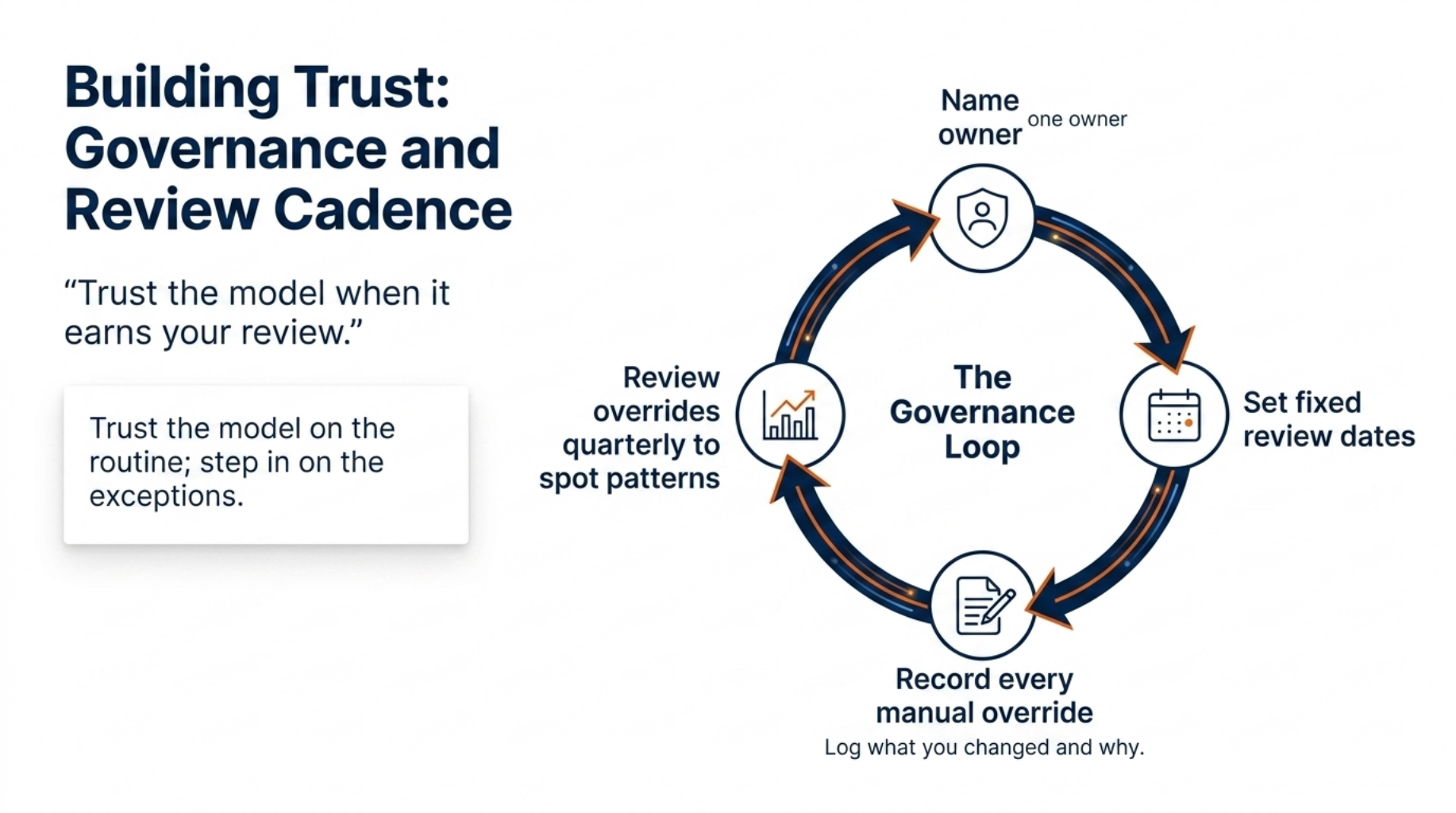
Building Trust: Governance and Review Cadence
“Trust the model when it earns your review.”
Alt tag: Quote graphic on governance for AI cash flow models
AI does not remove the need for human judgement. It changes where you spend it. The goal is to trust the model on the routine and step in on the exceptions.
Trust needs a rhythm, not a one-off check. Set a review cadence that fits your business, such as a quick weekly look and a deeper monthly one. During each review, compare the forecast to actuals and note where it drifted.
Know when to override. The model only sees your data, so it can miss facts you hold in your head. If you know a major client is about to churn or a big deal just closed, adjust the forecast to match.
Log every override you make. Write down what you changed and why. Over time, these notes feed back into the model and help it learn the events it could not see before.
A short governance checklist keeps this tight:
- Name one owner for the forecast.
- Set fixed review dates.
- Record every manual change.
- Review overrides each quarter to spot patterns.
This is how predictive finance stays reliable as your business grows. And reliability starts with where your data lives.
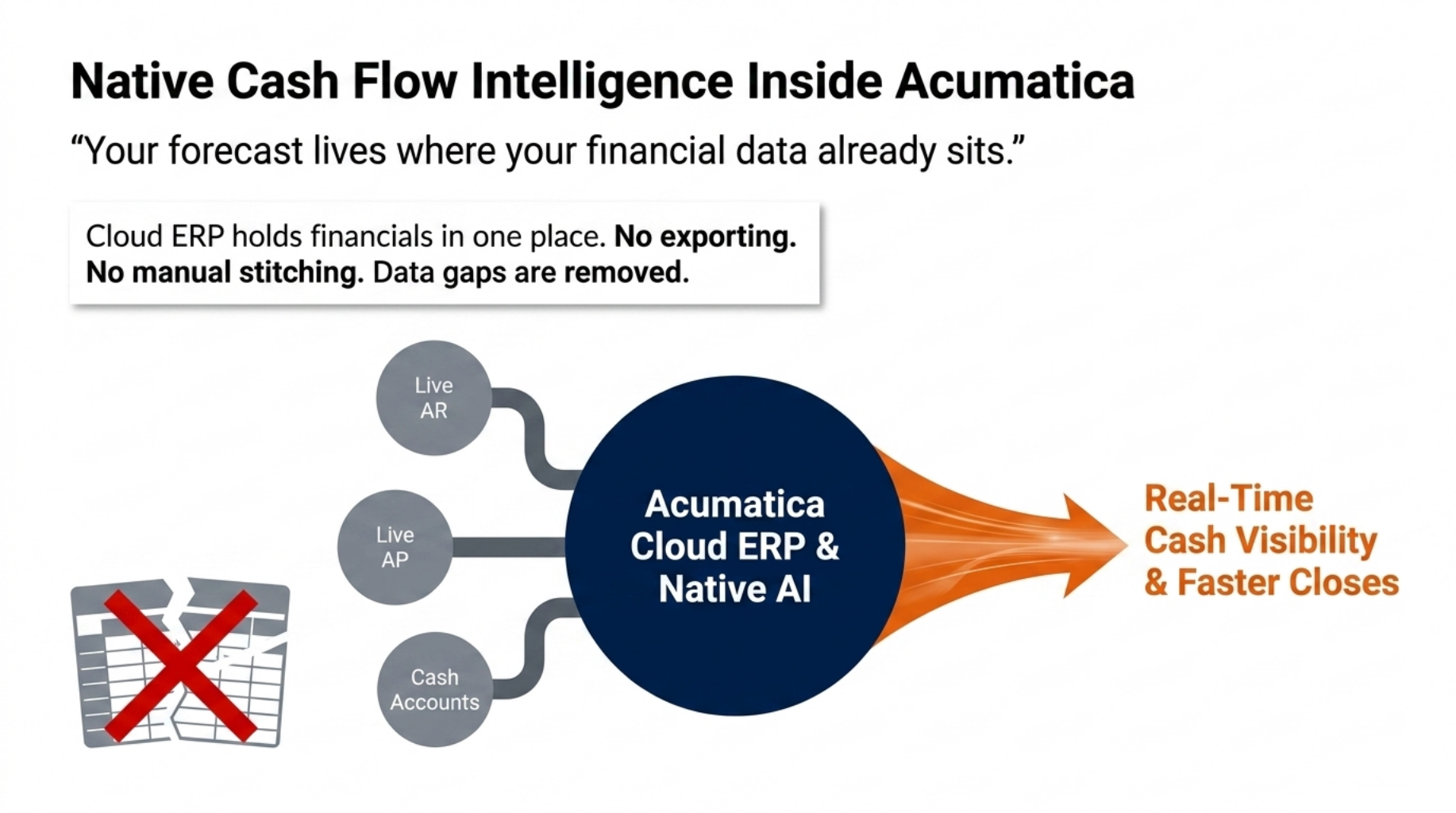
Native Cash Flow Intelligence Inside Acumatica
“Your forecast lives where your financial data already sits.”
Alt tag: Quote graphic on Acumatica cash flow forecasting
A forecast is only as good as the data behind it. This is where your core system matters, and where Acumatica fits.
Acumatica is a cloud ERP that holds your financials in one place. Your receivables, payables, and cash accounts all live in the same system, updated as transactions happen. There is no need to export sheets and stitch them together by hand.
That single source removes the data gaps that break most forecasts. The model pulls from live, tagged transactions, not a stale copy someone downloaded last week. When a client pays or a bill is raised, the forecast has the fact right away.
It also cuts the manual work that creates errors. Because the data is already clean and structured inside Acumatica, your team spends less time fixing sheets and more time acting on the forecast. Firms that unify finance in one cloud ERP often report faster closes and clearer real-time cash visibility.
With the data in place, getting started is simpler than most teams expect.
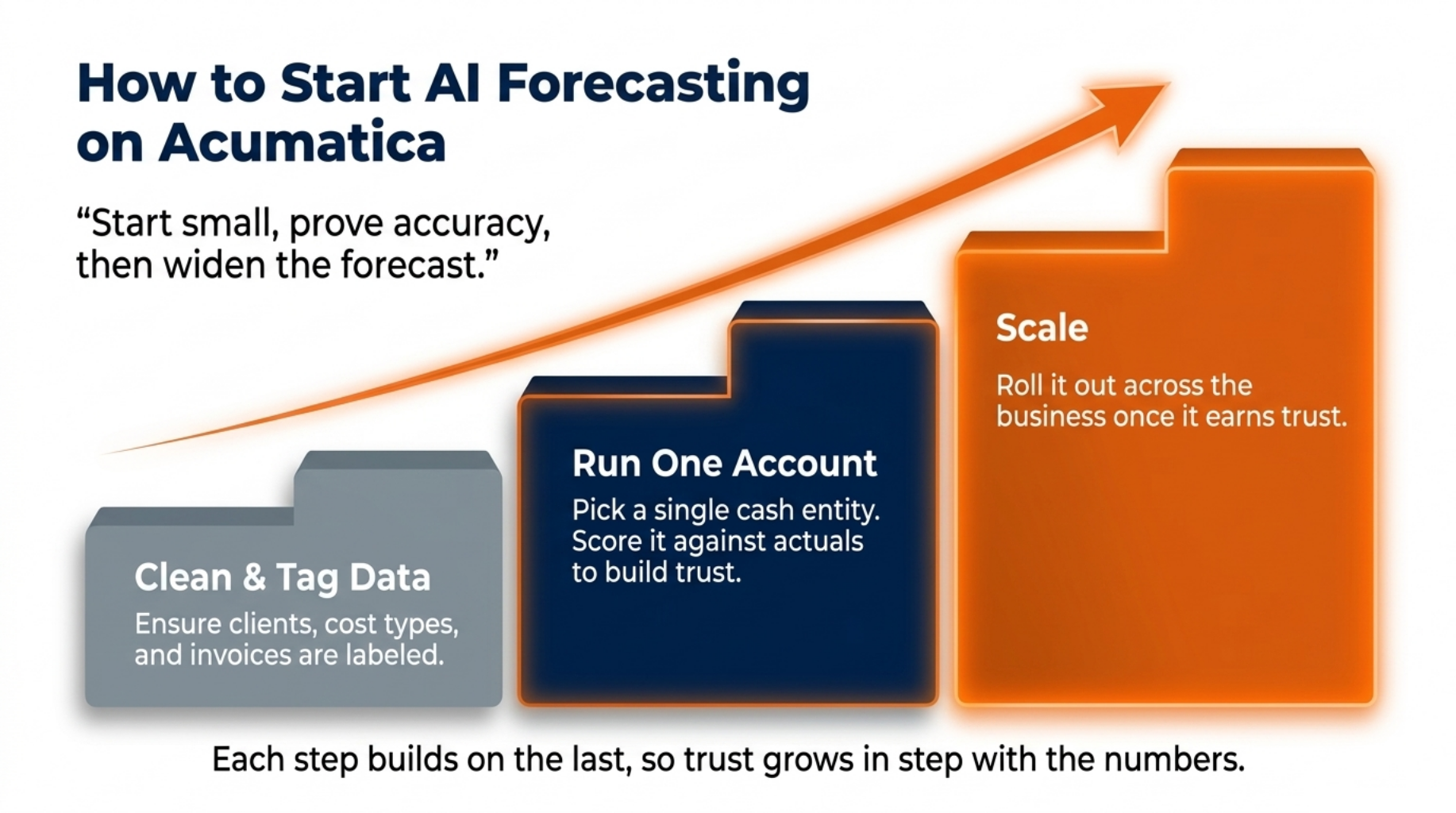
How to Start AI Forecasting on Acumatica
“Start small, prove accuracy, then widen the forecast.”
Alt tag: Quote graphic on starting AI forecasting in Acumatica
You do not need a big-bang rollout. The safest path is to start small, prove the accuracy, then widen the scope.
Follow three steps:
- Clean and tag your data first. Make sure clients, cost types, and invoices are labelled well inside Acumatica. This is the single biggest driver of a good forecast.
- Run the model on one account. Pick a single cash account or entity and forecast it for a few periods. Score it against actuals to build proof and trust.
- Scale once it earns trust. When the forecast holds up on the first account, roll it out across the rest of the business.
This staged path keeps risk low and gives your team a clear win before you expand. Each step builds on the last, so trust grows in step with the numbers.
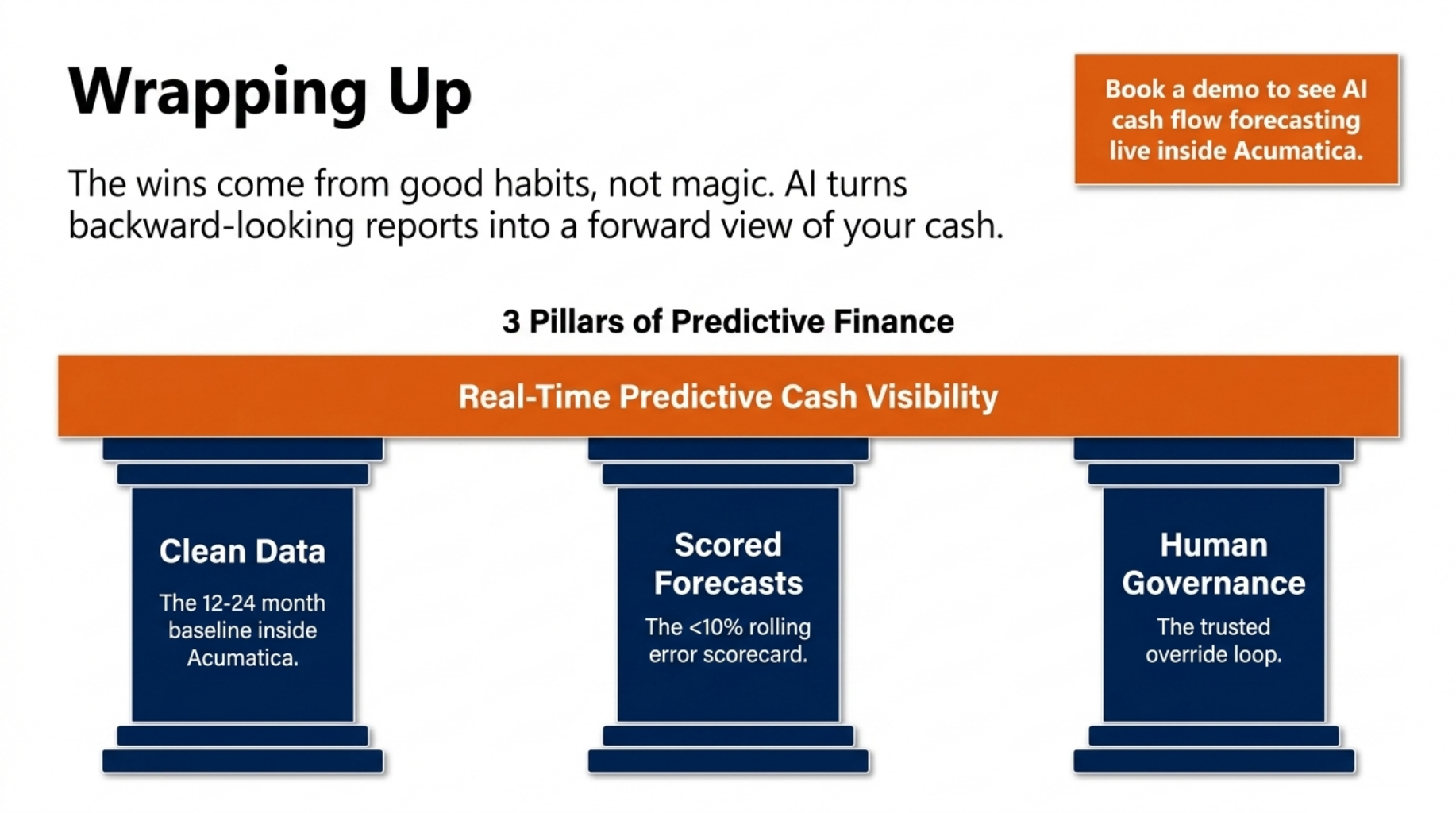
Wrapping Up
AI cash flow forecasting turns backward-looking reports into a forward view of your cash. It reads your own payment history to predict what is coming, and it updates as the numbers move.
The wins come from good habits, not magic. Clean your data, score every forecast, and keep clear human review and governance in place. Trust the model on the routine, and step in when you know something it does not.
Ready to see it work? Book a demo to see AI cash flow forecasting live inside Acumatica, running on your own financial data.
FAQ
How does AI cash flow forecasting work?
It studies your past payments, invoices, and bills to project future cash positions in real time.
How much data do I need to start?
Most models produce useful forecasts with 12 to 24 months of clean transaction history.
How do I measure forecast accuracy?
Compare each forecast against actual cash, then track the error rate over time.
Can AI replace my finance team?
No. It handles the number crunching, so your team can focus on decisions and review.
Is AI forecasting safe for a growing business?
Yes, when you keep human review, clear governance, and the option to override the model.