



Summary
Mobile inventory management transforms South African field operations by giving technicians, drivers and sales teams real-time stock visibility on their phones or tablets. Using responsive web interfaces, native offline-capable apps and camera-based barcode/QR scanning, teams reduce repeat trips, speed quotes and deliveries, and cut costs, especially where mobile coverage is patchy. Success depends on security, careful change management and simple, visible benefits for frontline users.
Key points
- Problem: Field staff waste time and create errors when they rely on calls, WhatsApp or paper for stock, hurting first-time fix rates and customer satisfaction.
- Solutions: Three access modes, responsive web, native mobile app with offline sync and camera barcode scanning, let people check and update stock from anywhere.
- Real benefits: Faster repairs and closures (HVAC), immediate deal wins (solar), accurate depot receipts (agriculture) and fewer failed deliveries, measurable time and cost savings.
- Security & IT: Role-based permissions, MDM, encryption and containerisation make mobile use safe and low-impact on data plans; browser access reduces support workload.
- Adoption tips: Start small, use short visual training, recruit internal champions and measure wins to drive uptake.
Mobile inventory management in South Africa is changing the way field teams work, and businesses that get it right stop wasting hours chasing stock over the phone. When your engineer is standing in a customer’s plant, or your driver is parked outside a farm depot, they need answers now. Not in twenty minutes when someone at head office gets back to them. This post walks through how to extend real inventory visibility to every person in your operation, wherever they are, and how to make it stick.
Why Field Teams Struggle Without Mobile Inventory
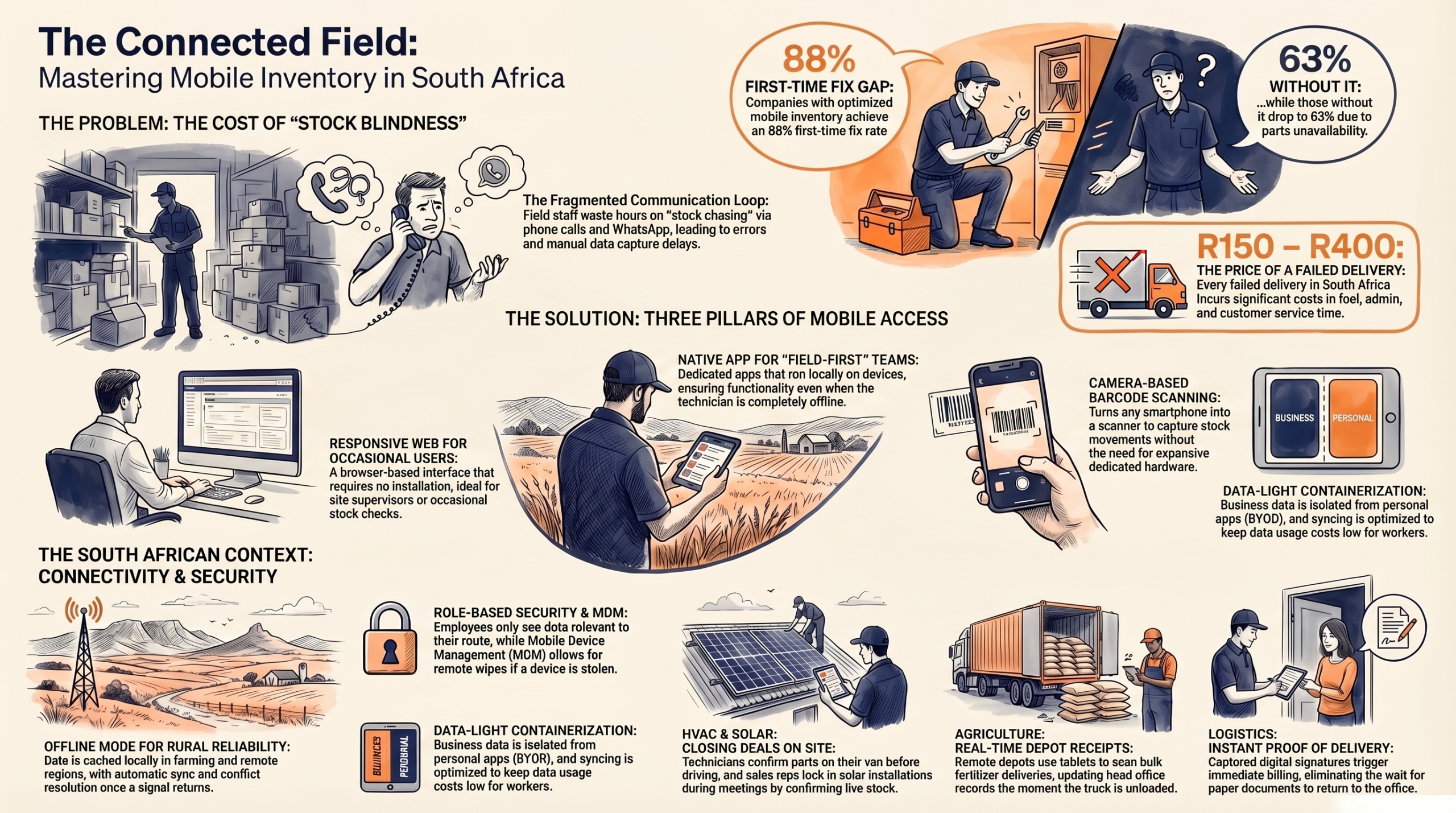
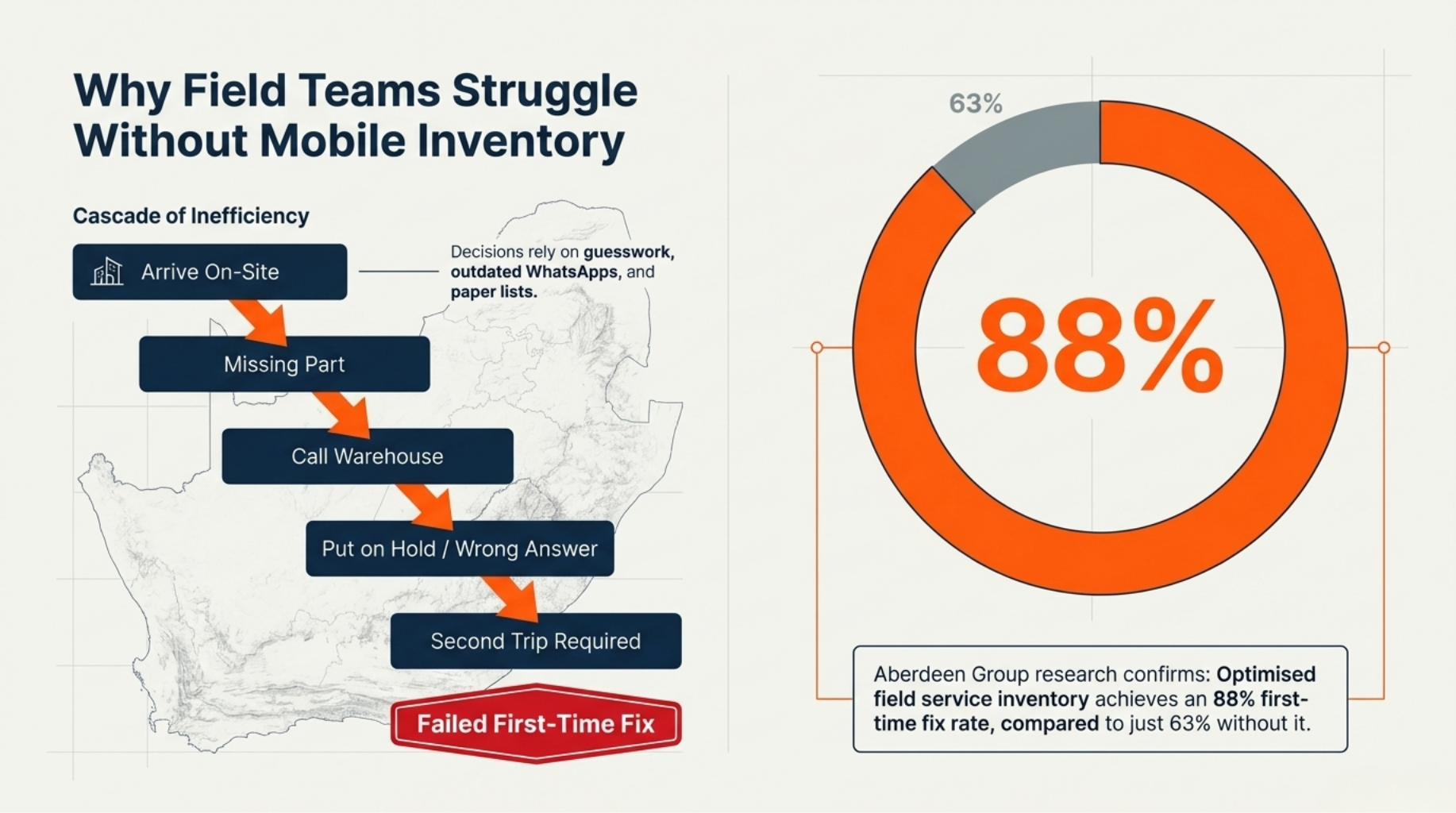
Picture an HVAC technician driving forty minutes to a site, only to find he doesn’t have the right capacitor on his van. One phone call to the warehouse. On hold. Transferred. Wrong answer. Second trip tomorrow.
Field staff across South Africa face this every day. Without live stock data, they make decisions based on guesswork, yesterday’s WhatsApp message, or a handwritten list that hasn’t been updated since Monday. That’s not a skills problem, it’s a systems problem.
The paperwork trail makes it worse. When receipts get captured manually at the end of a shift, errors creep in. A miscount at a remote depot shows up as available stock in the system. A technician books the last unit, but so does his colleague in another region. By the time anyone notices, a customer is waiting.
According to research by Aberdeen Group, companies with optimised field service inventory achieve a first-time fix rate of around 88%, compared to 63% for those without it. That gap is largely down to parts availability before the job starts, not skill, not tools, not training. Just knowing what’s in stock before you drive.
Agricultural suppliers and solar installers face the same bind. A sales rep quoting solar panels in a customer meeting can’t close the deal if she can’t confirm stock on the spot. A buyer won’t wait two days for someone to check the warehouse.
How Mobile ERP Puts Inventory in Your Pocket
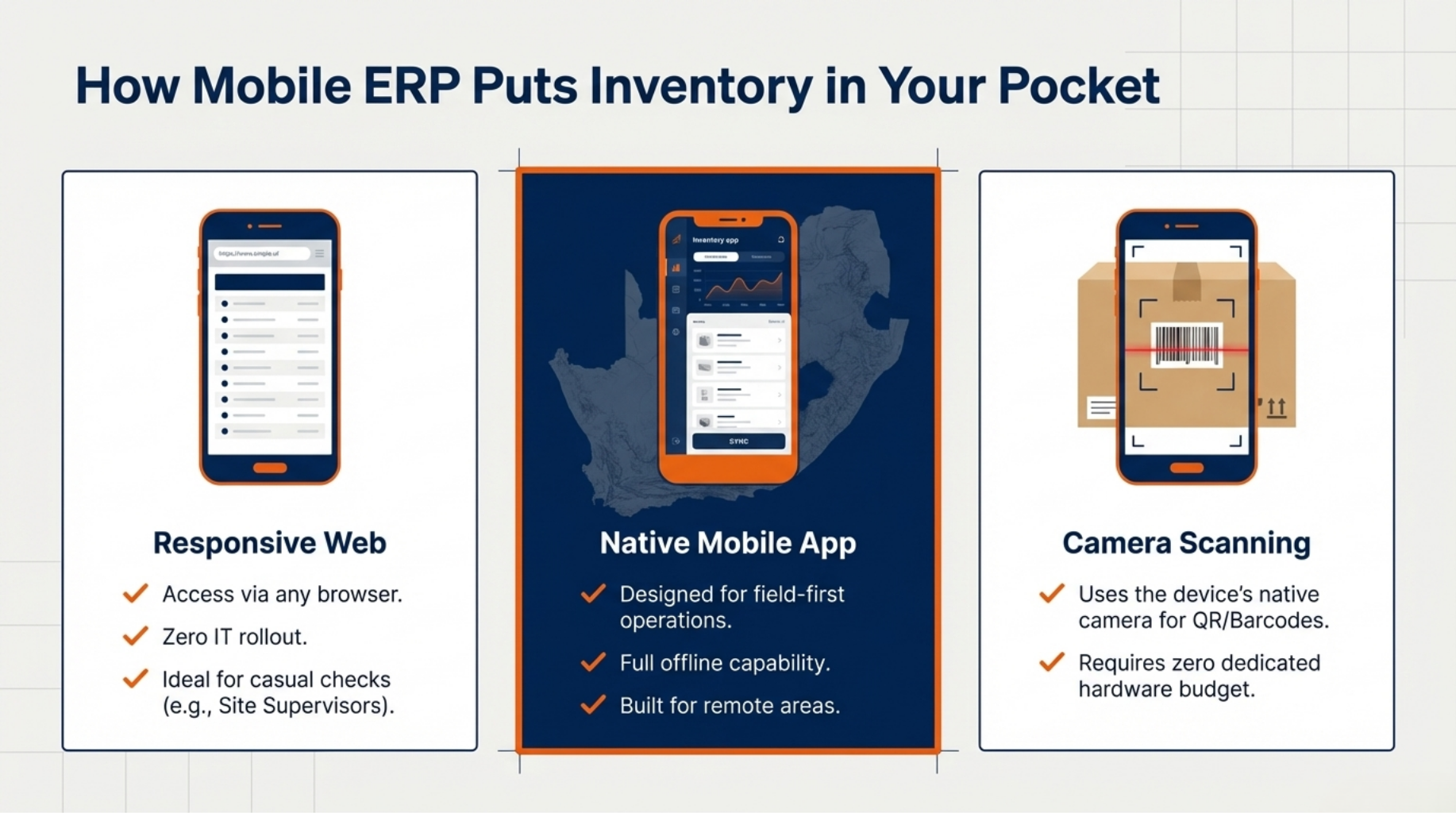
There are three ways your team can access live inventory from the field, and each one suits a different situation.
The first is a responsive web interface. Open a browser on any smartphone or tablet, log in, and the system adjusts to the screen. No app to install, no IT rollout required. This works well for staff who occasionally need to check stock, a site supervisor confirming a delivery, for example.
The second is a native mobile app. This is where field-first operations benefit most. The app runs on the device itself and doesn’t depend on a live connection to function.
The third is camera-based barcode scanning. Point your phone at a barcode or QR code on a box, a shelf, or a delivery note, and the system captures it. No dedicated scanner hardware. No extra budget. Just the device already in your team’s pocket.
Offline Mode and Automatic Sync
South Africa’s mobile coverage is strong in urban centres but unreliable in many rural and semi-rural areas. The GSMA reports that while mobile broadband covers most of the population, actual network experience in farming regions and small towns drops considerably.
The native app solves this by caching the data your team needs before they go offline. They work normally, scanning, receiving, confirming. When signal returns, changes sync automatically. Built-in conflict rules handle situations where two people updated the same record while offline, so nothing gets overwritten without a clear resolution.
Real Use Cases for South African Field Operations
The best way to understand this is through people who actually use it.
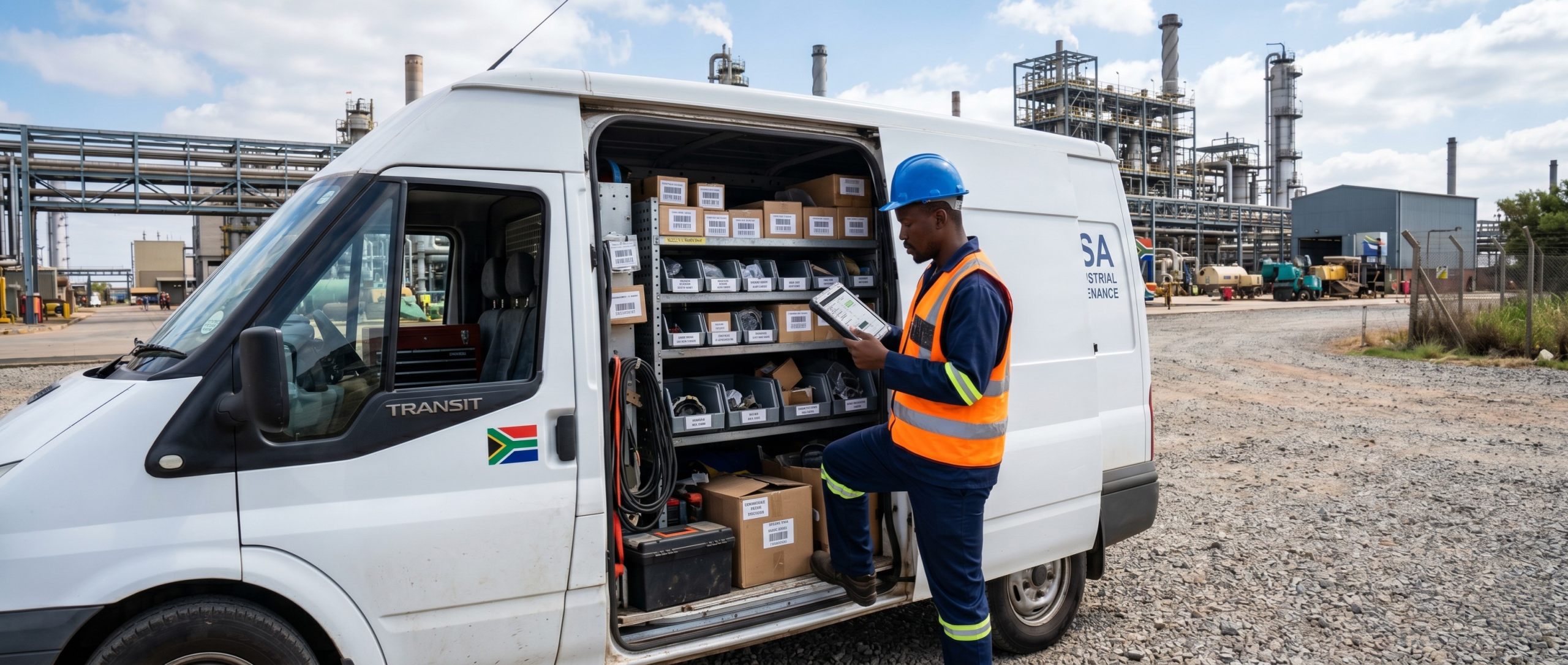
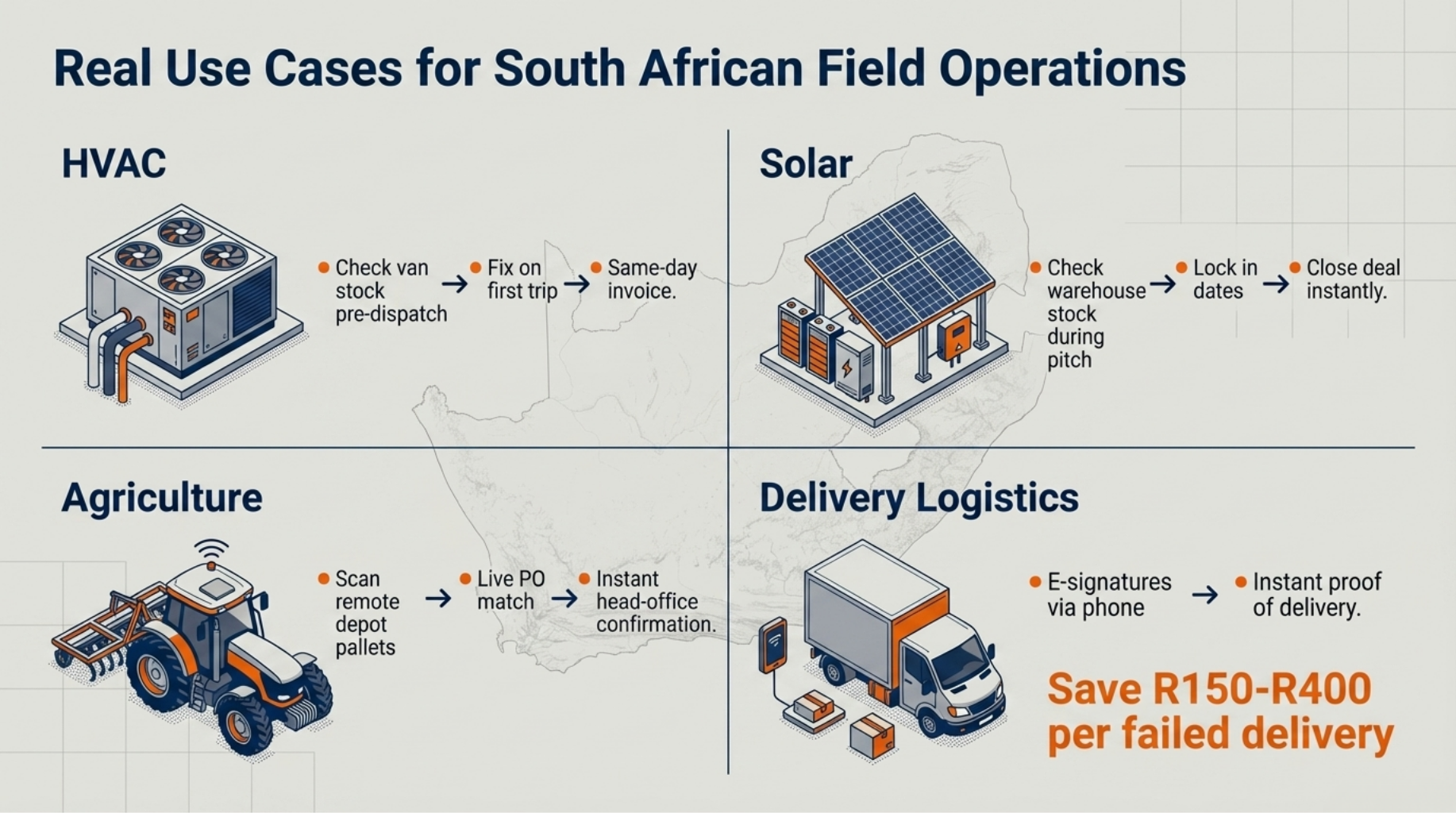
HVAC service. A technician in Johannesburg gets a call-out for a chiller fault. Before he leaves the depot, he opens the app, checks the exact part number, and confirms it’s on his van. He arrives, fixes the fault, closes the job. The customer gets an invoice the same afternoon. No second trip, no parts delay, no frustrated customer calling to reschedule.
Solar installation. A sales rep from a solar company in the Western Cape is sitting with a commercial client who wants to move fast on a 50-panel installation. She opens the app during the meeting, checks current stock at the nearest warehouse, confirms availability, and locks in a start date on the spot. The deal closes in the meeting room instead of three days later.
Agricultural supply. A remote depot outside Bloemfontein receives a bulk fertiliser delivery. The warehouse assistant uses a tablet to scan each pallet as it comes off the truck, match it against the purchase order, and update stock levels in real time. Head office sees the receipt confirmed before the truck leaves the yard.
Route-based delivery. A driver completing his last drop captures the customer’s signature on his phone. The proof of delivery uploads instantly. The billing team triggers the invoice without waiting for paper documents to make it back to the office.
South African logistics data suggests that a failed delivery costs between R150 and R400 per incident when accounting for re-delivery, admin, and customer service time. Multiply that across a fleet of ten drivers making daily rounds, and the savings from a confirmed first-time delivery model become significant.
Security and IT Considerations for Field Access
If you run IT for a business with field staff, your three concerns are likely the same as everyone else’s: will it be secure, will it eat through data budgets, and will we spend every week helping staff who can’t log in?
The short answer is no to all three, if you set it up correctly.
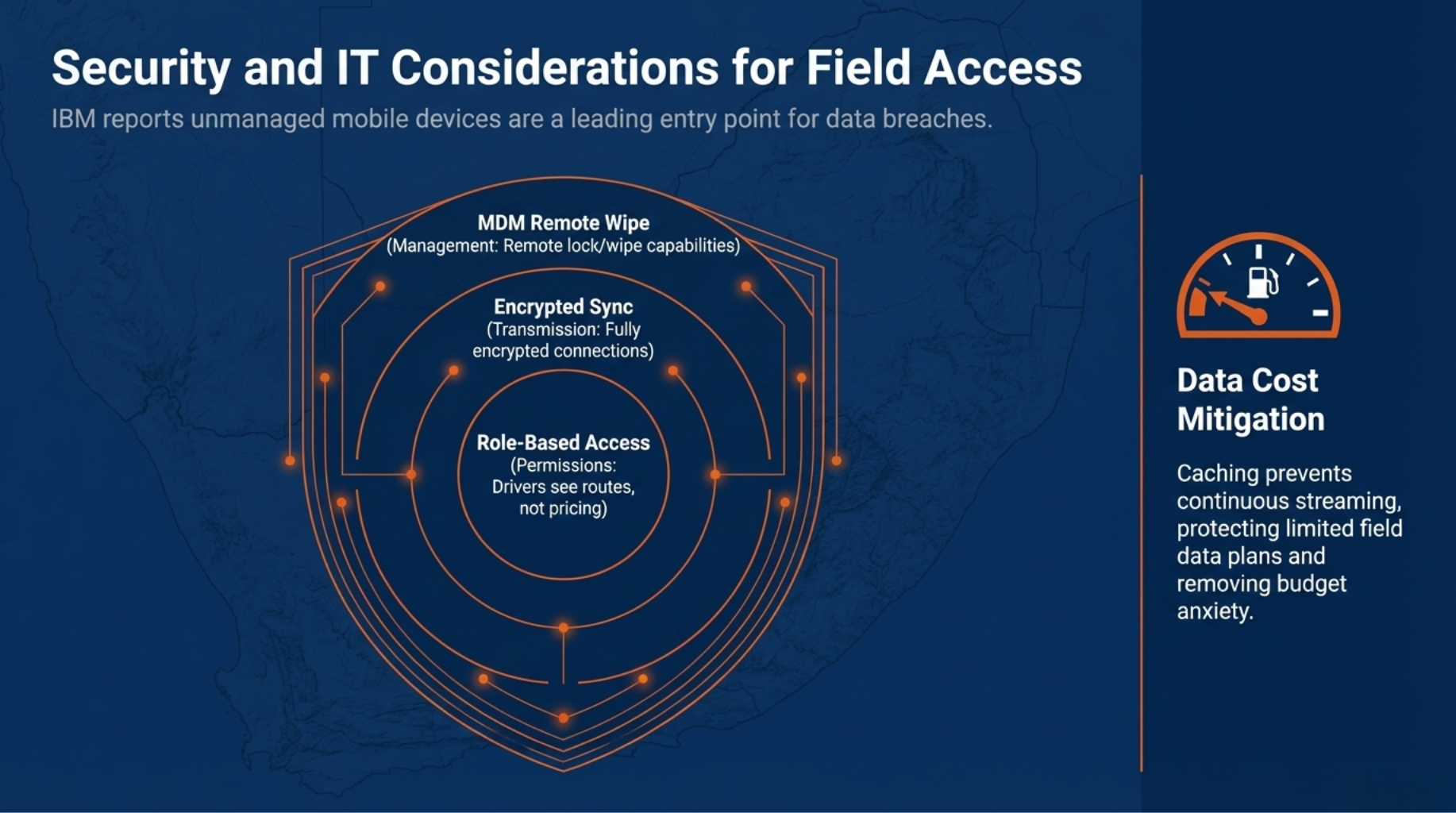
Role-based permissions mean a delivery driver only sees what’s relevant to his route. He can’t view pricing, supplier contracts, or another region’s stock. A warehouse assistant can receive goods but not approve purchase orders. Access matches the job, nothing more.
Mobile device management (MDM) tools let your IT team lock or remotely wipe a device if it’s lost or stolen. That protects the business without creating extra work day to day. And because the mobile interface runs over an encrypted connection, data moving between the device and your system is protected even on public Wi-Fi.
Data usage is lower than most IT managers expect. The app caches the data the field worker needs, it doesn’t stream everything continuously. For workers on limited data plans, this matters.
According to IBM’s Cost of a Data Breach report, mobile devices with no endpoint management are a leading entry point for data breaches. Basic MDM removes most of that risk at low cost.
Supported Devices and BYOD Policies
Most modern Android and iOS devices work without any special hardware configuration. If your business runs a BYOD policy, the key step is separating business data from personal apps, a containerisation approach keeps company inventory data isolated on the device. Browser-based access further reduces IT support burden, since there’s nothing to install or update on individual phones.
Getting Your Field Team to Actually Use It
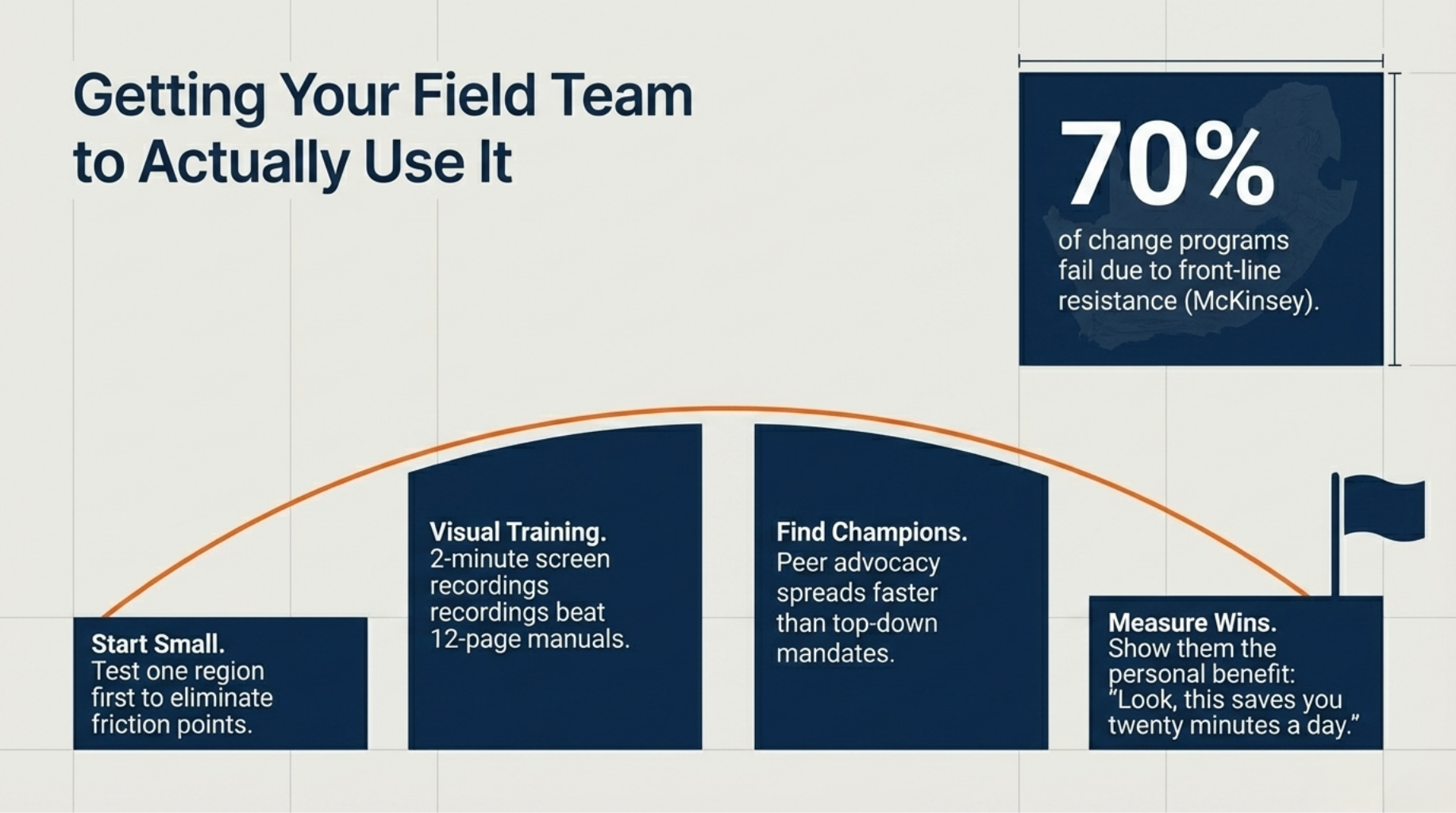
Technology rollouts fail more often because of people than because of software. A McKinsey study found that around 70% of change programmes don’t achieve their goals, and resistance from front-line staff is one of the most common reasons.
Your field team didn’t ask for a new system. They have a method that works well enough, phone calls, WhatsApp groups, paper job cards. Telling them a new app will make everything better doesn’t land. Showing them it saves them twenty minutes a day does.
Start small. Pick one team or one region and run the mobile rollout there first. Work out the friction points before scaling. Let that team become the reference point for everyone else.
Keep training short and visual. A two-minute screen recording of how to check stock and confirm a delivery beats a twelve-page manual every time. Field workers are mobile-first in their personal lives, they learn by watching, not reading.
Find your internal champions. Every team has one or two people others turn to when they have a question. Get those people trained first and enthusiastic early. Peer advocacy spreads faster than any top-down instruction.
Measure and share the wins. If a technician used to make two trips to a job site per week and now makes one, show him that data. Personal benefit drives adoption more than company policy.
Wrapping Up
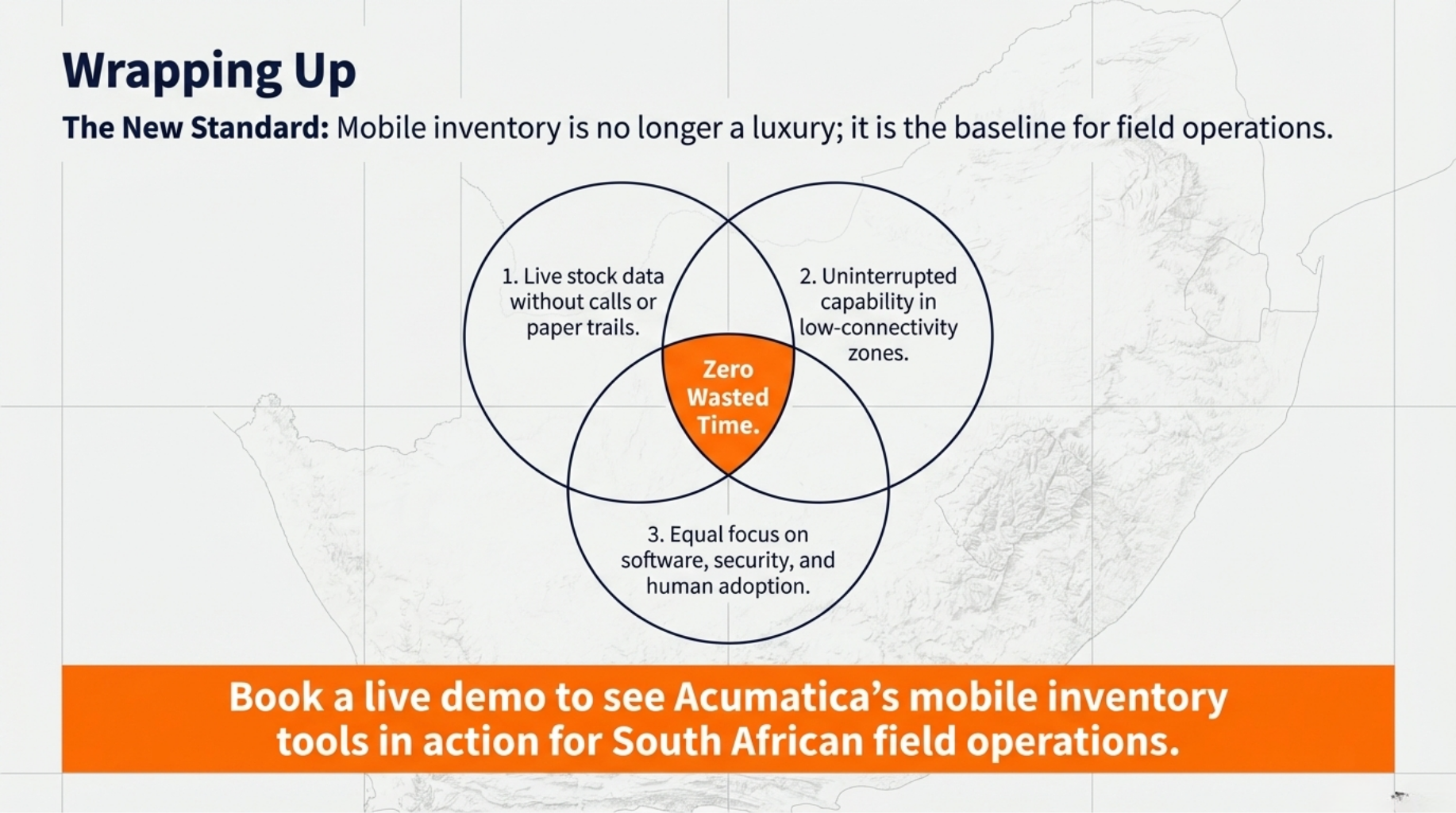
Mobile inventory management in South Africa is no longer a luxury for large enterprises. Field teams across HVAC, solar, agriculture, and logistics are using it to work faster, make better decisions, and serve customers without the back-and-forth that wastes everyone’s time.
Three things determine whether your rollout succeeds:
- Field staff get live stock data on their devices without calls or paperwork
- Offline capability keeps the system working in low-connectivity areas across South Africa
- Security, change management, and screen optimisation get as much attention as the software itself
Book a live demo to see how Acumatica’s mobile inventory tools work for South African field operations, no commitment required.
FAQ
Q1: What is mobile inventory management?
A: Mobile inventory management lets field workers check, update, and track stock in real time using a smartphone or tablet connected to a central system.
Q2: Can mobile inventory apps work without internet in South Africa?
A: Yes, offline-capable apps cache data locally and sync automatically when the device reconnects, which is critical for rural or low-signal areas.
Q3: Is mobile warehouse management available in South Africa?
A: Yes, cloud-based ERP platforms with mobile modules support South African businesses across field service, warehousing, and route-based delivery operations.
Q4: How do field workers scan barcodes without a dedicated scanner?
A: Modern mobile inventory apps use the smartphone’s built-in camera to scan barcodes and QR codes, removing the need for separate hardware.
Q5: How do you keep inventory data secure when field staff access it on personal devices?
A: Role-based permissions, mobile device management tools, and encrypted connections limit access to only what each worker needs and protect data if a device is lost.